Forums

Skip to content

Advanced search
  • Quick links
    • Unanswered topics
    • Active topics
    • Search
  • FAQ
  • Login
  • Register
  • Board index Assistance Unsupported Software
  • Search

Custom liveCD don't boot my project (ISM)

This forum covers all Gentoo-related software not officially supported by Gentoo. Ebuilds/software posted here might harm the health and stability of your system(s), and are not supported by Gentoo developers. Bugs/errors caused by ebuilds from overlays.gentoo.org are covered by this forum, too.
Post Reply
Advanced search
5 posts • Page 1 of 1
Author
Message
Fulgurance
Veteran
Veteran
User avatar
Posts: 1287
Joined: Wed Feb 15, 2017 4:31 pm
Contact:
Contact Fulgurance
Website

Custom liveCD don't boot my project (ISM)

  • Quote

Post by Fulgurance » Mon Feb 10, 2025 1:36 pm

Hi guys, as some knows, I am working actually on my distribution. Almost everything work fine now.

So I am working on making my first liveCD for my system.

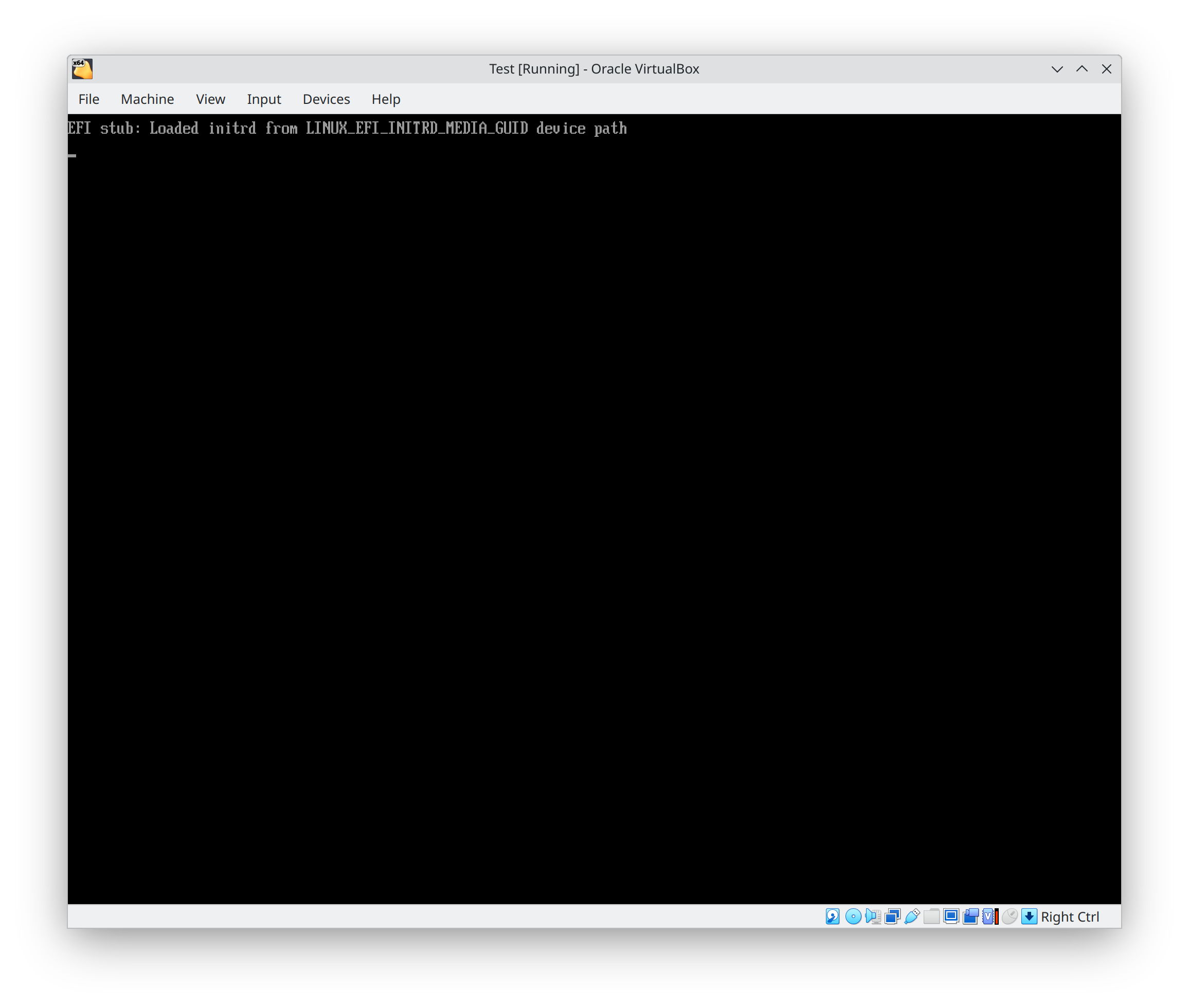
I finally manage to make an iso file able to start grub. But the problem I have now is, after grub start, nothing is loaded.
I think obviously I miss configured something, but because I am not very use of making live CD, actually I can't find what is going wrong.

So basically, this is the hierarchy of my liveCD (these files are in a main directory called livecd-ism):

https://i.ibb.co/tw0s6CVJ/DIRS.png

My grub.cfg:

Code: Select all

set timeout=90
set default=0
set fallback=1
set pager=1

if loadfont /boot/grub/font.pf2 ; then
	set gfxmode=auto
	insmod efi_gop
	insmod efi_uga
	insmod gfxterm
	insmod all_video
	insmod videotest
	insmod videoinfo
	terminal_output gfxterm
fi

menuentry "Boot ISM LiveCD" {
	set gfxpayload=keep
	linux /boot/vmlinuz-linux-6.11.0 loop=/livecd-ism/livecd-ism.squashfs looptype=squashfs
	initrd /boot/initramfs-6.11.0.img
}
The liveCD was generated like this:

Code: Select all

grub2-mkrescue -o livecd-ism-20250209.iso livecd-ism -V LiveCD-ISM-20250209

The initramfs was generated with dracut via chroot like this:

Code: Select all

dracut -m "kernel-modules base" --force --kver=6.11.0 /boot/initramfs-6.11.0.img
dracut.conf:

Code: Select all

#hostonly="yes"
install_items+=" /lib/elogind/elogind-uaccess-command /usr/lib/libgcc_s.so.1 "
add_dracutmodules+=" kernel-modules base dmsquash-live "

The squashfs image was generated like this:

Code: Select all

mksquashfs /home/zohran/Downloads/files livecd-ism.squashfs -wildcards -ef /home/zohran/Downloads/exclude.txt -b 1024K -comp xz -progress -processors 16 -Xdict-size 100%

exclude.txt:

Code: Select all

proc/*
sys/*
dev/*
run/*
boot/*
root/*
var/cache/edb/*
var/db/pkg/*
var/db/repos/local/*
tmp/ism/*
var/cache/distfiles/*
var/cache/binpkgs/*
var/log/*
var/tmp/*
usr/include/*
usr/src/*
etc/kernels/*
sources/*
If I can get a bit of your expertise I will appreciate a lot !

And this is what happened after I passed the grub menu and try to load my livecd:


https://i.postimg.cc/xYWGDxnb/Screensho ... 131824.png

Let me know if you want me to upload the livecd files for you
My actual project: https://github.com/Fulgurance/ISM

Ingenius Software Manager is a tool to build and manage a Linux system from scratch.
It will able to manage a linux installation just with a given path to the futur root path
Top
Fulgurance
Veteran
Veteran
User avatar
Posts: 1287
Joined: Wed Feb 15, 2017 4:31 pm
Contact:
Contact Fulgurance
Website

  • Quote

Post by Fulgurance » Mon Feb 10, 2025 5:21 pm

I investigated this afternoon, and I replaced my kernel image by the gentoo livecd kernel image, and it booted.

So I guess the way I generate my kernel is wrong ?

Because I generated it like this:

Code: Select all

make allmodconfig && make modules_prepare && make && make modules_install && make install
Nothing should be build as module maybe ?
My actual project: https://github.com/Fulgurance/ISM

Ingenius Software Manager is a tool to build and manage a Linux system from scratch.
It will able to manage a linux installation just with a given path to the futur root path
Top
Fulgurance
Veteran
Veteran
User avatar
Posts: 1287
Joined: Wed Feb 15, 2017 4:31 pm
Contact:
Contact Fulgurance
Website

  • Quote

Post by Fulgurance » Wed Feb 12, 2025 11:24 am

No idea ? :cry:

Just to update you, if I use the gentoo kernel instead from the gentoo livecd, my system can boot from the liveCD, so I think the problem is the kernel I generated, but why ?
My actual project: https://github.com/Fulgurance/ISM

Ingenius Software Manager is a tool to build and manage a Linux system from scratch.
It will able to manage a linux installation just with a given path to the futur root path
Top
pietinger
Moderator
Moderator
Posts: 6608
Joined: Tue Oct 17, 2006 5:11 pm
Location: Bavaria

  • Quote

Post by pietinger » Wed Feb 12, 2025 1:21 pm

To answer this question, you would have to examine the initramfs. Why?

You surely know the difference between a kernel WITH initramfs and a kernel WITHOUT initramfs:

A kernel WITHOUT initramfs requires all modules necessary to access the root partition as built-in, so that the kernel itself can mount the root partition. Only then can kernel modules be loaded from the root FS.

A kernel WITH initramfs does not mount the root partition. This is now the task of the initramfs. But first the initramfs must load all kernel modules that are necessary to access the root partition. Should the initramfs NOT (be able to) load some modules, then these must be built-in in the kernel.

The following applies to a LiveCD: It must be able to access a CD-ROM and also offer a SqashFS. It could be that the standard initramfs does not load these modules and therefore in the kernel of our LiveCD some modules are configured as built-in in the kernel.

But I can't answer that for sure, because I don't know the config of your initramfs, nor the config of the live kernel.
https://wiki.gentoo.org/wiki/User:Pietinger --> https://wiki.gentoo.org/wiki/User:Pieti ... _at_Gentoo
Top
Fulgurance
Veteran
Veteran
User avatar
Posts: 1287
Joined: Wed Feb 15, 2017 4:31 pm
Contact:
Contact Fulgurance
Website

  • Quote

Post by Fulgurance » Wed Feb 12, 2025 7:11 pm

So during the time you answered, I partially solved the problem, the issue with the kernel was because of the kernel configuration. So I just copy pasted the config file from the gentoo livecd and I regenerate my kernel. It's fine now.

And as you predicted, now I have to deal with my initramfs.

I will come back
My actual project: https://github.com/Fulgurance/ISM

Ingenius Software Manager is a tool to build and manage a Linux system from scratch.
It will able to manage a linux installation just with a given path to the futur root path
Top
Post Reply

5 posts • Page 1 of 1

Return to “Unsupported Software”

Jump to
  • Assistance
  • ↳   News & Announcements
  • ↳   Frequently Asked Questions
  • ↳   Installing Gentoo
  • ↳   Multimedia
  • ↳   Desktop Environments
  • ↳   Networking & Security
  • ↳   Kernel & Hardware
  • ↳   Portage & Programming
  • ↳   Gamers & Players
  • ↳   Other Things Gentoo
  • ↳   Unsupported Software
  • Discussion & Documentation
  • ↳   Documentation, Tips & Tricks
  • ↳   Gentoo Chat
  • ↳   Gentoo Forums Feedback
  • ↳   Duplicate Threads
  • International Gentoo Users
  • ↳   中文 (Chinese)
  • ↳   Dutch
  • ↳   Finnish
  • ↳   French
  • ↳   Deutsches Forum (German)
  • ↳   Diskussionsforum
  • ↳   Deutsche Dokumentation
  • ↳   Greek
  • ↳   Forum italiano (Italian)
  • ↳   Forum di discussione italiano
  • ↳   Risorse italiane (documentazione e tools)
  • ↳   Polskie forum (Polish)
  • ↳   Instalacja i sprzęt
  • ↳   Polish OTW
  • ↳   Portuguese
  • ↳   Documentação, Ferramentas e Dicas
  • ↳   Russian
  • ↳   Scandinavian
  • ↳   Spanish
  • ↳   Other Languages
  • Architectures & Platforms
  • ↳   Gentoo on ARM
  • ↳   Gentoo on PPC
  • ↳   Gentoo on Sparc
  • ↳   Gentoo on Alternative Architectures
  • ↳   Gentoo on AMD64
  • ↳   Gentoo for Mac OS X (Portage for Mac OS X)
  • Board index
  • All times are UTC
  • Delete cookies

© 2001–2026 Gentoo Foundation, Inc.

Powered by phpBB® Forum Software © phpBB Limited

Privacy Policy