Forums

Skip to content

Advanced search
  • Quick links
    • Unanswered topics
    • Active topics
    • Search
  • FAQ
  • Login
  • Register
  • Board index Assistance Kernel & Hardware
  • Search

[SOLVED] Switched from GRUB2 to REFIND - Kernel Panic

Kernel not recognizing your hardware? Problems with power management or PCMCIA? What hardware is compatible with Gentoo? See here. (Only for kernels supported by Gentoo.)
Post Reply
Advanced search
29 posts
  • 1
  • 2
  • Next
Author
Message
us3rnotfound
n00b
n00b
Posts: 23
Joined: Wed May 20, 2020 11:54 am

[SOLVED] Switched from GRUB2 to REFIND - Kernel Panic

  • Quote

Post by us3rnotfound » Mon Jun 08, 2020 1:02 pm

I have a laptop with Ubuntu, Gentoo and Arch Linux installed, and boot with UEFI firmware. It would boot all 3 OSs fine with GRUB2, but I felt like changing to rEFInd and now only have problems with Gentoo booting up.

I have set up everything simple, just /dev/sda1 is the ESP, /dev/sda2 is / for Ubuntu, /dev/sda3 is swap for Gentoo and /dev/sda4 is / for Gentoo. /dev/sdb1 and /dev/sdb2 is / and swap for Arch, respectively.

The error I get in trying to boot Gentoo is:

Code: Select all

---[ end Kernel panic - not syncing: VFS: Unable to mount root fs on unknown-block(0,0) ]---
When I go into the parameters for Gentoo in rEFInd:

Code: Select all

ro root=UUID=790efa77-f32f-4fc6-87fc-b61db51f5aad
I very much suspect it's because rEFInd is not feeding an initrd= line for gentoo. But what is this for and why didn't rEFInd figure this out automatically? I don't want to "fix" this with a manual boot menuentry stanza in refind.conf, I want to permanently fix my Gentoo settings so rEFInd just works.

Thank you in advance!

EDIT: To add, not sure if it matters but I have been updating Grub in Ubuntu, and have just installed rEFInd in Ubuntu.
Last edited by us3rnotfound on Tue Jun 09, 2020 3:32 pm, edited 1 time in total.
Top
Anon-E-moose
Watchman
Watchman
User avatar
Posts: 6566
Joined: Fri May 23, 2008 7:31 pm
Location: Dallas area

  • Quote

Post by Anon-E-moose » Mon Jun 08, 2020 1:09 pm

Code: Select all

root=UUID=790efa77-f32f-4fc6-87fc-b61db51f5aad 
I imagine that it can't find it by way of the UUID, but just a guess

edit to add:
Just to clarify UUIDs are the only reliable way for the kernel to identify hard drives. There are two types: UUID, which is stored in the filesystem and is not available to the kernel at boot-time, and PARTUUID, which is stored in the partition table and IS available at boot time. So you have to use

root=PARTUUID=SSSSSSSS-PP
UM780 xtx, 6.18 zen kernel, gcc 15, openrc, wayland
minixforum m1-s1 max -- same software as above but used for ai learning


Zealots are gonna be zealots, just like haters are gonna be haters
Top
us3rnotfound
n00b
n00b
Posts: 23
Joined: Wed May 20, 2020 11:54 am

  • Quote

Post by us3rnotfound » Mon Jun 08, 2020 1:18 pm

Anon-E-moose wrote:

Code: Select all

root=UUID=790efa77-f32f-4fc6-87fc-b61db51f5aad 
I imagine that it can't find it by way of the UUID, but just a guess

edit to add:
Just to clarify UUIDs are the only reliable way for the kernel to identify hard drives. There are two types: UUID, which is stored in the filesystem and is not available to the kernel at boot-time, and PARTUUID, which is stored in the partition table and IS available at boot time. So you have to use

root=PARTUUID=SSSSSSSS-PP
root=PARTUUID=SSSSSSSS-PP worked!

What's the recommended, robust solution to make this work on every bootup?
Top
charles17
Advocate
Advocate
Posts: 3686
Joined: Sun Mar 02, 2008 3:20 pm

Re: Switched from GRUB2 to REFIND - Kernel Panic

  • Quote

Post by charles17 » Mon Jun 08, 2020 1:50 pm

us3rnotfound wrote:I have set up everything simple, just /dev/sda1 is the ESP, /dev/sda2 is / for Ubuntu, /dev/sda3 is swap for Gentoo and /dev/sda4 is / for Gentoo. /dev/sdb1 and /dev/sdb2 is / and swap for Arch, respectively.
And where are your kernels in the ESP?

Code: Select all

 /boot
 └── EFI
     ├── Boot
     │   └── bootx64.efi
     ├── rEFInd
     │   └── rEFIND_stuff.efi
     ├── Gentoo
     │   └── bzImage-4.9.76-r1.efi
     ├── Ubuntu
     │   └── UbuntuKernel.efi
     ├── ArchLinux
     │   └── ArchLinuxKernel.efi
     └── Microsoft
First make sure each system is able to boot alone, without grub or refind.
Top
us3rnotfound
n00b
n00b
Posts: 23
Joined: Wed May 20, 2020 11:54 am

  • Quote

Post by us3rnotfound » Mon Jun 08, 2020 1:55 pm

This is all I see in the ESP:

Code: Select all

/mnt/boot $ tree EFI
EFI
├── BOOT
│   ├── BOOTX64.EFI
│   ├── fbx64.efi
│   └── mmx64.efi
├── refind
│   ├── BOOT.CSV
│   ├── drivers_x64
│   │   └── ext4_x64.efi
│   ├── icons
│   ├── keys
│   ├── refind.conf
│   └── refind_x64.efi
├── tools
└── ubuntu
    ├── BOOTX64.CSV
    ├── grub.cfg
    ├── grubx64.efi
    ├── mmx64.efi
    └── shimx64.efi
Top
charles17
Advocate
Advocate
Posts: 3686
Joined: Sun Mar 02, 2008 3:20 pm

  • Quote

Post by charles17 » Mon Jun 08, 2020 2:09 pm

Why not have a Gentoo kernel?
Should be the easiest part.
Top
us3rnotfound
n00b
n00b
Posts: 23
Joined: Wed May 20, 2020 11:54 am

  • Quote

Post by us3rnotfound » Mon Jun 08, 2020 11:59 pm

charles17 wrote:Why not have a Gentoo kernel?
Should be the easiest part.
Thanks for the suggestion, did the copy of the compiled kernel to ESP/Gentoo/kernel.efi but it results same exact kernel panic.
Top
us3rnotfound
n00b
n00b
Posts: 23
Joined: Wed May 20, 2020 11:54 am

  • Quote

Post by us3rnotfound » Tue Jun 09, 2020 12:36 am

I proceeded to do the command:

Code: Select all

root #efibootmgr -c -L "EFI Stub" -l '\EFI\Gentoo\bzImage-4.9.76-r1.efi'
(Replaced the kernel file name with mine) because what the heck? And now it only tries to boot to the Gentoo kernel. So apparently I should have RTFM on efibootmgr.
Top
Tony0945
Watchman
Watchman
Posts: 5127
Joined: Tue Jul 25, 2006 12:19 am
Location: Illinois, USA

  • Quote

Post by Tony0945 » Tue Jun 09, 2020 12:56 am

What's the result of "grep -v ^# /boot/efi/EFI/refind/refind.conf"

Example (purged of blank lines):

Code: Select all

grep -v ^# /boot/efi/EFI/refind/refind.conf

timeout 10

showtools shell, gdisk, memtest, about, reboot, exit, firmware

scanfor internal,optical,cd,manual,biosexternal

dont_scan_volumes  UUID="1aa86f01-1dd2-466a-b19b-57b2539f714e"

old_linux_kernels false

default_selection vmlinuz
reFind find all my kernels and can boot them all (default newest) And I store them in /boot on the ext4 root partition not in VFAT or a separate /boot

EDIT:
And also this one:

Code: Select all

 $ grep -v ^# /boot/refind_linux.conf
"Boot by PARTUUID"   "root=PARTUUID=54fee329-ff75-4879-bdbb-93268b470f32 vga=0x365 net.ifnames=0  acpi_enforce_resources=lax "
"Boot by /dev/sdXn"  "root=/dev/sda2 vga=0x365 net.ifnames=0  "
"Boot by /dev/sr0"  "root=/dev/sr0 vga=0x365 net.ifnames=0  "
Last edited by Tony0945 on Tue Jun 09, 2020 1:10 am, edited 2 times in total.
Top
Jaglover
Watchman
Watchman
User avatar
Posts: 8291
Joined: Sun May 29, 2005 1:57 am
Location: Saint Amant, Acadiana

  • Quote

Post by Jaglover » Tue Jun 09, 2020 1:01 am

@us3rnotfound

You should omit the version, having bzImage.efi has a big advantage - you won't ever need to upgrade your EFI variables again. I have

Code: Select all

 ~ # ls -l /boot/EFI/Boot/
total 9880
-rwxr-xr-x 1 root root 5085280 May  7 09:58 bootx64.efi
-rwxr-xr-x 1 root root 5026464 Mar  7 14:52 bootx64_pre.efi
When I upgrade kernel I just rename bootx64.efi to bootx64_pre.efi and copy the new kernel to bootx64.efi. Upgrade done in seconds and no need to change EFI variables.
My Gentoo installation notes.
Please learn how to denote units correctly!
Top
Tony0945
Watchman
Watchman
Posts: 5127
Joined: Tue Jul 25, 2006 12:19 am
Location: Illinois, USA

  • Quote

Post by Tony0945 » Tue Jun 09, 2020 1:12 am

Jaglover, my way is even easaier. I build the kernel then do NOTHING. refind defaults to the newest time-stamped kernel in /boot
Top
Jaglover
Watchman
Watchman
User avatar
Posts: 8291
Joined: Sun May 29, 2005 1:57 am
Location: Saint Amant, Acadiana

  • Quote

Post by Jaglover » Tue Jun 09, 2020 1:25 am

Cool, I didn't know rEFInd does that. Reminds me times when I had symlink in /boot/ pointing to /usr/src/linux/arch/x86_64/boot/bzImage. After new kernel was built it was used automatically at next boot.
My Gentoo installation notes.
Please learn how to denote units correctly!
Top
charles17
Advocate
Advocate
Posts: 3686
Joined: Sun Mar 02, 2008 3:20 pm

  • Quote

Post by charles17 » Tue Jun 09, 2020 6:07 am

Tony0945 wrote:Jaglover, my way is even easaier. I build the kernel then do NOTHING.
Not even make install or copying manually?
Tony0945 wrote:refind defaults to the newest time-stamped kernel in /boot
What kind of magic makes your new kernel available in /boot?
Top
Ant P.
Watchman
Watchman
Posts: 6920
Joined: Sat Apr 18, 2009 7:18 pm
Contact:
Contact Ant P.
Website

  • Quote

Post by Ant P. » Tue Jun 09, 2020 6:12 am

us3rnotfound wrote:What's the recommended, robust solution to make this work on every bootup?
GPT partitioning (you probably already have this) and root=PARTUUID=. If you want to be extra certain, you could also embed the root= in the Gentoo kernel's cmdline using make menuconfig and it'll be bootable, in case of an emergency, directly from EFI.
Top
charles17
Advocate
Advocate
Posts: 3686
Joined: Sun Mar 02, 2008 3:20 pm

  • Quote

Post by charles17 » Tue Jun 09, 2020 6:22 am

us3rnotfound wrote:(Replaced the kernel file name with mine) because what the heck? And now it only tries to boot to the Gentoo kernel.
Does it succeed (to boot to the Gentoo kernel), problem solved? Then proceed solving your rEFInd trouble.
If not, then first solve the kernel panic problem.

us3rnotfound wrote:So apparently I should have RTFM on efibootmgr.
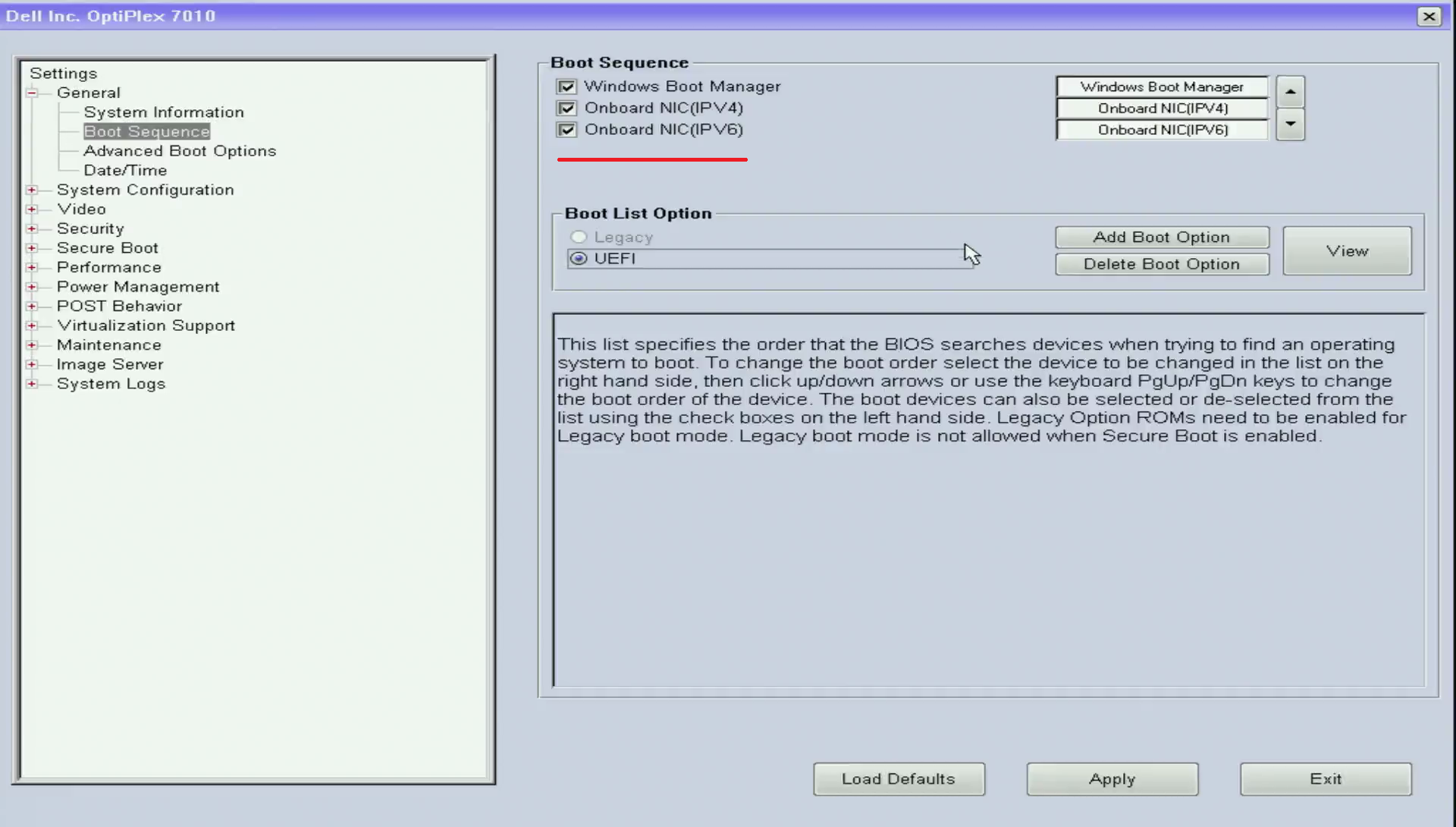
Some computers let you Add Boot Option in their BIOS settings. I always use this and even don't have efibootmgr installed
Top
us3rnotfound
n00b
n00b
Posts: 23
Joined: Wed May 20, 2020 11:54 am

  • Quote

Post by us3rnotfound » Tue Jun 09, 2020 11:25 am

Tony0945 wrote:What's the result of "grep -v ^# /boot/efi/EFI/refind/refind.conf"

Example (purged of blank lines):

Code: Select all

grep -v ^# /boot/efi/EFI/refind/refind.conf

timeout 10

showtools shell, gdisk, memtest, about, reboot, exit, firmware

scanfor internal,optical,cd,manual,biosexternal

dont_scan_volumes  UUID="1aa86f01-1dd2-466a-b19b-57b2539f714e"

old_linux_kernels false

default_selection vmlinuz
reFind find all my kernels and can boot them all (default newest) And I store them in /boot on the ext4 root partition not in VFAT or a separate /boot

EDIT:
And also this one:

Code: Select all

 $ grep -v ^# /boot/refind_linux.conf
"Boot by PARTUUID"   "root=PARTUUID=54fee329-ff75-4879-bdbb-93268b470f32 vga=0x365 net.ifnames=0  acpi_enforce_resources=lax "
"Boot by /dev/sdXn"  "root=/dev/sda2 vga=0x365 net.ifnames=0  "
"Boot by /dev/sr0"  "root=/dev/sr0 vga=0x365 net.ifnames=0  "
All I've got in /boot/efi/EFI/refind/refinc.conf is

Code: Select all

timeout 20
my /boot/refind_linux.conf has this:

Code: Select all

"Boot with standard options"  "root=UUID=345c3bd2-0a30-4db9-ad34-b65e46751c24 ro quiet splash vt.handoff=7"
"Boot to single-user mode"    "root=UUID=345c3bd2-0a30-4db9-ad34-b65e46751c24 ro quiet splash vt.handoff=7 single"
"Boot with minimal options"   "ro root=UUID=345c3bd2-0a30-4db9-ad34-b65e46751c24"
Who put those in there? It's my Ubuntu UUID (/dev/sda2).

Code: Select all

# sudo blkid /dev/sd*
/dev/sda: PTUUID="c965ac8f-fd60-48aa-abf1-09b2a6c4ecdf" PTTYPE="gpt"
/dev/sda1: UUID="68AE-F21A" TYPE="vfat" PARTLABEL="EFI System Partition" PARTUUID="13a9c593-a739-4abf-9264-690cfbf4cb47"
/dev/sda2: UUID="345c3bd2-0a30-4db9-ad34-b65e46751c24" TYPE="ext4" PARTUUID="c8d409ee-74fc-dc46-bcad-4796f701f91c"
/dev/sda3: UUID="9503a72b-cfdb-4536-b010-78c39b4e612a" TYPE="swap" PARTUUID="35af1ac8-9612-0248-8543-ccd7d59cd073"
/dev/sda4: UUID="790efa77-f32f-4fc6-87fc-b61db51f5aad" TYPE="ext4" PARTUUID="ac72e2a7-90e9-ed45-99df-49a6778f4c66"
/dev/sdb: PTUUID="9edca275-4b74-4cda-8f5e-07ff7e2413a1" PTTYPE="gpt"
/dev/sdb1: UUID="76d15426-11d5-40d9-bd6e-1ae6f088111d" TYPE="ext4" PARTLABEL="primary" PARTUUID="b3387b8b-9af0-4d98-8a05-54c3ebdc6667"
/dev/sdb2: UUID="13316eda-b699-4243-b9ea-bf24aa1b2806" TYPE="swap" PARTLABEL="swap" PARTUUID="561879cb-ae24-4a67-81ca-aa81405bf63a"
Top
us3rnotfound
n00b
n00b
Posts: 23
Joined: Wed May 20, 2020 11:54 am

  • Quote

Post by us3rnotfound » Tue Jun 09, 2020 11:26 am

charles17 wrote:
us3rnotfound wrote:(Replaced the kernel file name with mine) because what the heck? And now it only tries to boot to the Gentoo kernel.
Does it succeed (to boot to the Gentoo kernel), problem solved? Then proceed solving your rEFInd trouble.
If not, then first solve the kernel panic problem.

us3rnotfound wrote:So apparently I should have RTFM on efibootmgr.
Some computers let you Add Boot Option in their BIOS settings. I always use this and even don't have efibootmgr installed
Turns out I just created a new EFI boot menu entry called "EFI Stub" pointing to Gentoo .efi, which still Kernel panics because it can't find the UUID it needs the PARTUUID, I was able to just boot into Ubuntu and delete it and now I'm back to refind.
Top
us3rnotfound
n00b
n00b
Posts: 23
Joined: Wed May 20, 2020 11:54 am

  • Quote

Post by us3rnotfound » Tue Jun 09, 2020 11:28 am

Ant P. wrote:
us3rnotfound wrote:What's the recommended, robust solution to make this work on every bootup?
GPT partitioning (you probably already have this) and root=PARTUUID=. If you want to be extra certain, you could also embed the root= in the Gentoo kernel's cmdline using make menuconfig and it'll be bootable, in case of an emergency, directly from EFI.
So where do I put the root=PARTUUID= line at? In the /boot/efi/EFI/refind/refind.conf under a menu entry? I don't like that as much. Where does rEFInd get the root=UUID= line from? I need to go there and replace that with the PARTUUID.

Also, how do I go about placing the root= code into the kernel?

Thanks for everyone's help.
Top
charles17
Advocate
Advocate
Posts: 3686
Joined: Sun Mar 02, 2008 3:20 pm

  • Quote

Post by charles17 » Tue Jun 09, 2020 12:09 pm

us3rnotfound wrote:... which still Kernel panics because it can't find the UUID it needs the PARTUUID, ...
You did not blkid | grep sda4? And add that PARTUUID to your kernel?

Code: Select all

Processor type and features  --->
    [*] Built-in kernel command line
    (root=PARTUUID=ac72e2a7-90e9-ed45-99df-49a6778f4c66)
ac72e2a7-90e9-ed45-99df-49a6778f4c66 as from your "/dev/sda4" of your earlier post?
Top
Tony0945
Watchman
Watchman
Posts: 5127
Joined: Tue Jul 25, 2006 12:19 am
Location: Illinois, USA

  • Quote

Post by Tony0945 » Tue Jun 09, 2020 1:25 pm

charles17 wrote:Not even make install or copying manually?
"make install" of course. But I don't do anything to tell reFind about it. Not like editing grub.conf
us3rnotfound wrote:What kind of magic makes your new kernel available in /boot?
That's refind's job, to find kernels.
us3rnotfound wrote:All I've got in /boot/efi/EFI/refind/refind.conf is
Code:
timeout 20
That's why the kernel can't find the boot partition.
Originally I only had the second line in the example I showed (a real world example). Then I added the first line, to boot by PARTUUID instead od /dev/sda2. I added the third line for optional direct boot to CD. Those lines are menu choices. If you do nothing, the first choice is executed at the end of the timeout. If you have only one choice, no need for a timeout. Originally I only had the second line because I only had one drive, so it had to be the right one, like if you only have one ethernet port it has to be eth0. Now, it's just a piece of cruft I leave in as an example. The third line may be cruft as well, but it's a handy way to boot directly to CD/DVD without reFind searching for kernels and coming up dry. Here's my other UEFI machine:

Code: Select all

 #  grep -v ^# /boot/refind_linux.conf
"Boot by PARTUUID"   "net.ifnames=0 root=PARTUUID=280acabd-75cb-41f6-8322-a428a78bdf2a"
"Boot by /dev/sdXn"  "root=/dev/sda2 net.ifnames=0 
The part in quotes is just a prompt.
Try it with your own PARTUUID and any text you want. The net.ifnames=0 is to get rid of those godawful persistent names. it's optional. The vga= in the other example is also optional. The could also be embedded in the kernel and in fact are:

Code: Select all

~ # zgrep CMDLINE /proc/config.gz
CONFIG_CMDLINE_BOOL=y
CONFIG_CMDLINE="net.ifnames=0 vga=0x365"
# CONFIG_CMDLINE_OVERRIDE is not set
# CONFIG_BLK_CMDLINE_PARSER is not set
# CONFIG_CMDLINE_PARTITION is not set
CONFIG_FB_CMDLINE=y
Anything your bootloader adds overrides the kernel setting. I think that's the meaning of CONFIG_CMDLINE_BOOL=y, check with menuconfig Help.
Top
Tony0945
Watchman
Watchman
Posts: 5127
Joined: Tue Jul 25, 2006 12:19 am
Location: Illinois, USA

  • Quote

Post by Tony0945 » Tue Jun 09, 2020 1:35 pm

Notes on /boot/efi/EFI/refind/refind.conf
dont_scan_volumes UUID="1aa86f01-1dd2-466a-b19b-57b2539f714e"
That drive (identified by UUID) holds only dta files. A lot of them. So I tell reFind to not bother looking there. it would boot fine without that line.


I even forget what some of the others mean. They are documented by the standard boilerplate comments in the file.

I think your problem is that you are trying to boot the Gentoo kernel on the Ubuntu partition. Or something is wrong with your PARTUUID. That's easy to do.
Top
us3rnotfound
n00b
n00b
Posts: 23
Joined: Wed May 20, 2020 11:54 am

  • Quote

Post by us3rnotfound » Tue Jun 09, 2020 1:55 pm

charles17 wrote:
us3rnotfound wrote:... which still Kernel panics because it can't find the UUID it needs the PARTUUID, ...
You did not blkid | grep sda4? And add that PARTUUID to your kernel?

Code: Select all

Processor type and features  --->
    [*] Built-in kernel command line
    (root=PARTUUID=ac72e2a7-90e9-ed45-99df-49a6778f4c66)
ac72e2a7-90e9-ed45-99df-49a6778f4c66 as from your "/dev/sda4" of your earlier post?
I did what you said, then I simply copied the kernel to <ESP volume>/EFI/Gentoo/bzImage.efi and now it works well with rEFInd.

Going forward though is this a good solution? Is my Gentoo kernel now running from the vFAT ESP instead of my ext4 /boot partition? Also why does it work as an EFI stub but rEFInd's auto search for kernels in /boot does NOT work, even with your kernel command line PARTUUID fix?
Top
GDH-gentoo
Advocate
Advocate
User avatar
Posts: 2115
Joined: Sat Jul 20, 2019 7:02 pm
Location: South America

  • Quote

Post by GDH-gentoo » Tue Jun 09, 2020 2:05 pm

I don't have experience with rEFInd, but looking at its documentation, doesn't the OP need either:
  • A manually created (because rEFInd was installed from Ubuntu) /boot/refind_linux.conf in Gentoo's partition (/dev/sda4) with the desired kernel command line, or
  • An entry for the rootfs in Gentoo's /etc/fstab that is specified using PARTUUID, or
  • An initramfs in Gentoo's /boot with a name that matches the kernel's, that is capable of mounting the rootfs using its UUID
so that rEFInd can work its autodetection magic without touching \EFI\refind\refind.conf in the ESP, as the OP wanted?
Top
Tony0945
Watchman
Watchman
Posts: 5127
Joined: Tue Jul 25, 2006 12:19 am
Location: Illinois, USA

  • Quote

Post by Tony0945 » Tue Jun 09, 2020 2:19 pm

Add

Code: Select all

scanfor internal,optical,cd,manual,biosexternal 
to /boot/efi/EFI/refind/refind.conf
In fact, it should be there as a comment, just remove the leading '#'
That line tells reFind to search the listed places for bootable kernels.

In fact, try this as a test

Code: Select all

cp /boot/refind_linux.conf /boot/refind_linux.conf.original
cp /boot/efi/EFI/refind/refind.conf /boot/efi/EFI/refind/refind.conf.original
then edit refind_linux.conf to read:

Code: Select all

timeout 10

showtools shell, gdisk, memtest, about, reboot, exit, firmware

scanfor internal,optical,cd,manual,biosexternal

old_linux_kernels false

default_selection vmlinuz 
and edit /boot/refind_linux.conf to read:

Code: Select all

"Boot by device node"  "root=/dev/sda2"
Substituting the root device for /dev/sda2.

If that works, then add to /boot/refind_linux.conf a line above that line with

Code: Select all

"Boot by PARTUUID"   "root=PARTUUID=54fee329-ff75-4879-bdbb-93268b470f32
Substitutng your root partitions PARTUUID for mine.
Top
us3rnotfound
n00b
n00b
Posts: 23
Joined: Wed May 20, 2020 11:54 am

  • Quote

Post by us3rnotfound » Tue Jun 09, 2020 2:33 pm

So for the /boot/refind_linux.conf file, do I need that file in each Linux OS I have?

EDIT: I just realized that was my problem. So I made a refind_linux.conf in Gentoo's /boot/ dir, specifying root=PARTUUID, and voila it works. There's certainly many ways to skin a cat when it comes to bootloading.

I have installed refind using Ubuntu that's why I have /boot/refind_linux.conf in Ubuntu's /.
Arch Linux works from refind automatically finding the kernel in /boot because it has an initramfs image in /boot.
Gentoo doesn't have initramfs image nor does it have a /boot/refind_linux.conf. Is that what's missing?
Last edited by us3rnotfound on Tue Jun 09, 2020 3:31 pm, edited 1 time in total.
Top
Post Reply

29 posts
  • 1
  • 2
  • Next

Return to “Kernel & Hardware”

Jump to
  • Assistance
  • ↳   News & Announcements
  • ↳   Frequently Asked Questions
  • ↳   Installing Gentoo
  • ↳   Multimedia
  • ↳   Desktop Environments
  • ↳   Networking & Security
  • ↳   Kernel & Hardware
  • ↳   Portage & Programming
  • ↳   Gamers & Players
  • ↳   Other Things Gentoo
  • ↳   Unsupported Software
  • Discussion & Documentation
  • ↳   Documentation, Tips & Tricks
  • ↳   Gentoo Chat
  • ↳   Gentoo Forums Feedback
  • ↳   Duplicate Threads
  • International Gentoo Users
  • ↳   中文 (Chinese)
  • ↳   Dutch
  • ↳   Finnish
  • ↳   French
  • ↳   Deutsches Forum (German)
  • ↳   Diskussionsforum
  • ↳   Deutsche Dokumentation
  • ↳   Greek
  • ↳   Forum italiano (Italian)
  • ↳   Forum di discussione italiano
  • ↳   Risorse italiane (documentazione e tools)
  • ↳   Polskie forum (Polish)
  • ↳   Instalacja i sprzęt
  • ↳   Polish OTW
  • ↳   Portuguese
  • ↳   Documentação, Ferramentas e Dicas
  • ↳   Russian
  • ↳   Scandinavian
  • ↳   Spanish
  • ↳   Other Languages
  • Architectures & Platforms
  • ↳   Gentoo on ARM
  • ↳   Gentoo on PPC
  • ↳   Gentoo on Sparc
  • ↳   Gentoo on Alternative Architectures
  • ↳   Gentoo on AMD64
  • ↳   Gentoo for Mac OS X (Portage for Mac OS X)
  • Board index
  • All times are UTC
  • Delete cookies

© 2001–2026 Gentoo Foundation, Inc.

Powered by phpBB® Forum Software © phpBB Limited

Privacy Policy


magic