Team,
Gentoo on Raspberry Pi 4 in 64 bit mode is beginning to work.
Its working better every day.
The Pi 3 64 bit userland works.
The install is putting a Pi 4 /boot under an arm64 userland, such as the arm64 stage 3 and adding the Pi 4 /lib/modules/'uname -r' to the userland.
There is a brief guide on the wiki.
Be warned that it will be a while before everything works with more that a 1G RAM memory space, so users with 2G or 4G devices can only use the bottom 1G.
As the acknowledgements in the link say, its not my work. I've only tried to document it.
Raspberry Pi4 with 64 Bit Gentoo
Message
- NeddySeagoon
- Administrator

- Posts: 56082
- Joined: Sat Jul 05, 2003 9:37 am
- Location: 56N 3W

Raspberry Pi4 with 64 Bit Gentoo
Regards,
NeddySeagoon
Computer users fall into two groups:-
those that do backups
those that have never had a hard drive fail.
NeddySeagoon
Computer users fall into two groups:-
those that do backups
those that have never had a hard drive fail.


- NeddySeagoon
- Administrator
- Posts: 56082
- Joined: Sat Jul 05, 2003 9:37 am
- Location: 56N 3W
crocket,
Only in 32 bit mode. At least, Raspbian looked like it could use all 4G and the mem_limit option is missing from the Raspbian config.txt.
Raspbian is 32 bit only.
I can confirm that a 64 bit build of the Pi Foundation kernel will not boot without mem_limit=1024.
Well I only tried 1G and 4G. Maybe there is a bug like the x86 himem bug, that allowed intel processors in 16 bit mode to address over 1M of RAM.
The problem is that the PI is a 32 bit VC4 with a 64 bit ARM CPU grafted on the side. All of the IO belongs to the 32 bit VC4.
1clue,
A 32 bit kernel or a 64 bit kernel?
Why would anyone build a kernel on the Pi, as its one of the most cross compile friendly packages out there.
Only in 32 bit mode. At least, Raspbian looked like it could use all 4G and the mem_limit option is missing from the Raspbian config.txt.
Raspbian is 32 bit only.
I can confirm that a 64 bit build of the Pi Foundation kernel will not boot without mem_limit=1024.
Well I only tried 1G and 4G. Maybe there is a bug like the x86 himem bug, that allowed intel processors in 16 bit mode to address over 1M of RAM.
The problem is that the PI is a 32 bit VC4 with a 64 bit ARM CPU grafted on the side. All of the IO belongs to the 32 bit VC4.
1clue,
A 32 bit kernel or a 64 bit kernel?
Why would anyone build a kernel on the Pi, as its one of the most cross compile friendly packages out there.
Regards,
NeddySeagoon
Computer users fall into two groups:-
those that do backups
those that have never had a hard drive fail.
NeddySeagoon
Computer users fall into two groups:-
those that do backups
those that have never had a hard drive fail.
64-bit.NeddySeagoon wrote: 1clue,
A 32 bit kernel or a 64 bit kernel?
Why would anyone build a kernel on the Pi, as its one of the most cross compile friendly packages out there.
- Because they can.
- Because it's the most common package on any Linux system
- Because it can be used as a standard benchmark.
- NeddySeagoon
- Administrator
- Posts: 56082
- Joined: Sat Jul 05, 2003 9:37 am
- Location: 56N 3W


possibly on good usb3 disk, otherwise you'll just time the sd card and everybody knows it sucks ...NeddySeagoon wrote:1clue,
OK ... I'll time it.
Ok boomer
True ignorance is not the absence of knowledge, but the refusal to acquire it.
Ab esse ad posse valet, a posse ad esse non valet consequentia
My fediverse account: @erm67@erm67.dynu.net
True ignorance is not the absence of knowledge, but the refusal to acquire it.
Ab esse ad posse valet, a posse ad esse non valet consequentia
My fediverse account: @erm67@erm67.dynu.net
- NeddySeagoon
- Administrator
- Posts: 56082
- Joined: Sat Jul 05, 2003 9:37 am
- Location: 56N 3W
Raspberry Pi 4 Kernel Building Time.
The Hardware.
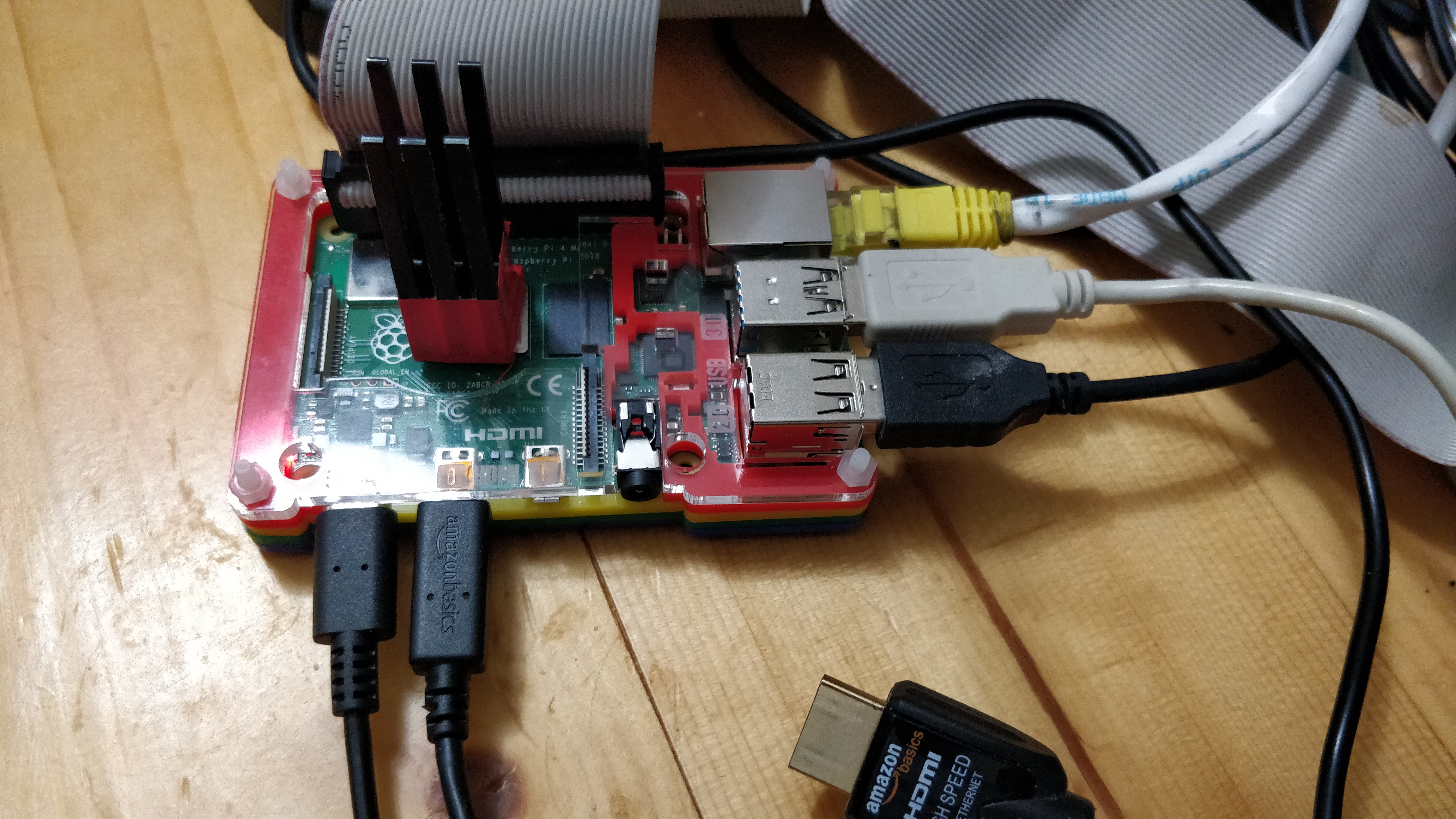
A Raspberry Pi 4 in 64 bit mode. Memory constrained to 1GB meanwhile.
A SATA3 SSD on the end of USB3.
Unfortunately, my USB3 to SATA cable does not support UAS, so there is no trim/discard. UAS is on in the running kernel.
A passive heatsink Its clamped with a cable tie now that the GPIO cable has gone.
The running kernel uses the 'On Demand' CPU governor. The CPU may still go into thermal throttling, the thermal readout doesn't work yet.
There is no GUI running. The tests were done over ssh.
The test process, using the 4.19.y branch
The interesting bit
I'll do a
was slower
Now to try a different USB3 to SATA cable. That didn't help, They are both different chips and both blacklisted by the kernel.
fstrimming all the filesystems on the SSD, then doingagain gives
so the drive write speed was never an issue.
The Hardware.
A Raspberry Pi 4 in 64 bit mode. Memory constrained to 1GB meanwhile.
A SATA3 SSD on the end of USB3.
Unfortunately, my USB3 to SATA cable does not support UAS, so there is no trim/discard. UAS is on in the running kernel.
A passive heatsink Its clamped with a cable tie now that the GPIO cable has gone.
The running kernel uses the 'On Demand' CPU governor. The CPU may still go into thermal throttling, the thermal readout doesn't work yet.
There is no GUI running. The tests were done over ssh.
The test process, using the 4.19.y branch
Code: Select all
git clone https://github.com/raspberrypi/linux pi_sources
cd pi_sources
time make mrproper
time make bcm2711_defconfig
time make -j4Code: Select all
real	59m13.332s
user	209m8.610s
sys 24m54.524sCode: Select all
time make mrproper
time make bcm2711_defconfig
time make -j2Code: Select all
real	88m52.294s
user	165m11.563s
sys 19m26.114sfstrimming all the filesystems on the SSD, then doing
Code: Select all
time make mrproper
time make bcm2711_defconfig
time make -j4
Code: Select all
real	58m59.455s
user	208m42.014s
sys	24m27.558s
Last edited by NeddySeagoon on Mon Jul 08, 2019 6:50 pm, edited 2 times in total.
Regards,
NeddySeagoon
Computer users fall into two groups:-
those that do backups
those that have never had a hard drive fail.
NeddySeagoon
Computer users fall into two groups:-
those that do backups
those that have never had a hard drive fail.
* vcgencmd cannot be compiled as a 64bit executable. Can anyone compile 32bit executables on ARM64?
* Raspberry pi kernel doesn't support UAS. dwc_otg doesn't support scatter-gather transfers was closed. Scatter-gather is required for UAS. Without UAS, there is no TRIM.
* Raspberry pi kernel doesn't support UAS. dwc_otg doesn't support scatter-gather transfers was closed. Scatter-gather is required for UAS. Without UAS, there is no TRIM.
* I would consider Rock Pi 4 for proper SSD support. You can buy Rock Pi 4 with a large heatsink and an M.2 extension board. Welcome to the future.UAS is now re-enabled because it adds a bunch of quirks for newer usb-storage devices. The module is loaded but as there's no SG support, UAS devices are accessed as mass-storage class devices.
- NeddySeagoon
- Administrator
- Posts: 56082
- Joined: Sat Jul 05, 2003 9:37 am
- Location: 56N 3W
crocket,
You should be able to run 32 bit userland on top of a 64 bit bit kernel on the Pi.
dwc_otg is still there in the Pi 4 but its not used for USB3.
The OTG part is provided in the USB-C power port, so if you can power the Pi 4 and get at the USB 2 only OTG, you can play with USB OTH on the Pi 4.
UAS is off in bcm2711_defconfig, There are two different bcm2711_defconfig files in the kernel. One for 64 bit and one for 32 bit.
Take care applying most internet advice to the Pi. Unless it specifically says its for 64 bit mode, its 32 bit.
It may or may not be 32 bit bit only.
You should be able to run 32 bit userland on top of a 64 bit bit kernel on the Pi.
dwc_otg is still there in the Pi 4 but its not used for USB3.
The OTG part is provided in the USB-C power port, so if you can power the Pi 4 and get at the USB 2 only OTG, you can play with USB OTH on the Pi 4.
UAS is off in bcm2711_defconfig, There are two different bcm2711_defconfig files in the kernel. One for 64 bit and one for 32 bit.
Take care applying most internet advice to the Pi. Unless it specifically says its for 64 bit mode, its 32 bit.
It may or may not be 32 bit bit only.
Regards,
NeddySeagoon
Computer users fall into two groups:-
those that do backups
those that have never had a hard drive fail.
NeddySeagoon
Computer users fall into two groups:-
those that do backups
those that have never had a hard drive fail.
Interesting.
This kind of suggests that a pi4, especially when it gets more stable, is a reasonable Gentoo platform, at least for a minimalist system. If this test alone were enough to form an opinion, then a pi4 is 10x as fast as a B+.
Just for the record, a B+ running Gentoo spends all its time running updates, for a very minimal install. Assuming you want to keep up, it actually takes longer to compile the updates than the time between updates.
Thanks, NeddySeagoon!
This kind of suggests that a pi4, especially when it gets more stable, is a reasonable Gentoo platform, at least for a minimalist system. If this test alone were enough to form an opinion, then a pi4 is 10x as fast as a B+.
Just for the record, a B+ running Gentoo spends all its time running updates, for a very minimal install. Assuming you want to keep up, it actually takes longer to compile the updates than the time between updates.
Thanks, NeddySeagoon!
- NeddySeagoon
- Administrator
- Posts: 56082
- Joined: Sat Jul 05, 2003 9:37 am
- Location: 56N 3W
1clue,
I used a 256MB B+ to host a mirror of kernel-seeds.org. It seemed to do that OK but my uplink would have been the bottleneck.
Since to 2012 launch of the original B+, the kernel has got a lot bigger.
That particular B+ now runs my GPS based ntp server.
I do have a 512MB B+ still, so if it was important, I can run the test.
I used a 256MB B+ to host a mirror of kernel-seeds.org. It seemed to do that OK but my uplink would have been the bottleneck.
Since to 2012 launch of the original B+, the kernel has got a lot bigger.
That particular B+ now runs my GPS based ntp server.
I do have a 512MB B+ still, so if it was important, I can run the test.
Regards,
NeddySeagoon
Computer users fall into two groups:-
those that do backups
those that have never had a hard drive fail.
NeddySeagoon
Computer users fall into two groups:-
those that do backups
those that have never had a hard drive fail.
Neddy,
Not important. I actually didn't expect anyone to do all this to satisfy my curiosity, I only asked in case anyone else was also curious.
I did the compile on my B+ and got 10+ hours for the first compile. So even though the kernel is significantly different now, I know that the pi4 could make a tolerable standalone Gentoo box. It's all I wanted to know.
Not important. I actually didn't expect anyone to do all this to satisfy my curiosity, I only asked in case anyone else was also curious.
I did the compile on my B+ and got 10+ hours for the first compile. So even though the kernel is significantly different now, I know that the pi4 could make a tolerable standalone Gentoo box. It's all I wanted to know.
- NeddySeagoon
- Administrator
- Posts: 56082
- Joined: Sat Jul 05, 2003 9:37 am
- Location: 56N 3W

Thought I'd pass this along...
Raspberry Pi admits to faulty USB-C design on the Pi 4
"I expect this will be fixed in a future board revision," says co-creator.
Raspberry Pi admits to faulty USB-C design on the Pi 4
"I expect this will be fixed in a future board revision," says co-creator.
Quis separabit? Quo animo?
- EliasJonsson
- n00b

- Posts: 53
- Joined: Wed Oct 18, 2017 12:32 pm

Re: Raspberry Pi4 with 64 Bit Gentoo
Thanks for sharing this with us. Can't wait untill the full 4G is supported so that I finally can get started using my RPi 4B 4 GB as my main desktop computer.NeddySeagoon wrote:Team,
Be warned that it will be a while before everything works with more that a 1G RAM memory space, so users with 2G or 4G devices can only use the bottom 1G.


Re: Raspberry Pi4 with 64 Bit Gentoo
Thanks for your work on the 64-bit Pi 4 build, Neddy. *thumbs up*NeddySeagoon wrote:Team,
Gentoo on Raspberry Pi 4 in 64 bit mode is beginning to work.
Its working better every day.