

I've found a curious behavior with Steam Client installed using the multilib procedure, not sure if its normal or not, but it seems the Steam Cloud sync its slow as hell.
In Windows it takes a couple of seconds to establish connection and the transfer speed its not really great, but on Gentoo it goes at 20-50Bits/s max from what I've seen. Has anyone seen this issue as well?
From my little knowledge I believe it runs slower due to using Gentoo's lib instead of the precompiled Ubuntu ones, but its curious that while downloading a game it goes pretty well, but the sync takes a lot longer than usual.
Native Steam client and source game engine
Message

what happens when you run steam-proton on a gpu without vulkan support =
steam still loads up, still functions as normal, but as you can see it cant load vulkan, so basically, gains no functionality while losing no functionality.
just incase anyone was curious.
Code: Select all
Xlib:  extension "NV-GLX" missing on display ":0.0".
Fatal : VkResult is "ERROR_INITIALIZATION_FAILED" in /home/pgriffais/src/Vulkan/base/vulkanexamplebase.cpp at line 823
vulkandriverquery: /home/pgriffais/src/Vulkan/base/vulkanexamplebase.cpp:823: void VulkanExampleBase::initVulkan(): Assertion `res == VK_SUCCESS' failed.
just incase anyone was curious.
- The Main Man
- Veteran

- Posts: 1173
- Joined: Thu Nov 27, 2014 11:25 pm
- Location: /run/user/1000
I have problems with two games, they don't launch, in both games I get this error :
Games are Borderlands2 and STAR WARS Knights of the Old Republic II - The Sith Lords
I tried to re-emerge libxcb, didn't help.
Any ideas?
Edit:
Never mind, found the solution here, if someone needs it in the future here it is:
https://www.gamersonlinux.com/forum/thr ... 4bit.2404/
Code: Select all
traps: KOTOR2[25116] general protection fault ip:f739e845 sp:ebbfc784 error:0 in libxcb.so.1.1.0[f7393000+2c000]I tried to re-emerge libxcb, didn't help.
Any ideas?
Edit:
Never mind, found the solution here, if someone needs it in the future here it is:
https://www.gamersonlinux.com/forum/thr ... 4bit.2404/
Just got done migrating to the 17.1 profile. Steam no longer runs. I ran it just before beginning, so it was the 17.1 migration that broke it. Anybody else been through this or had same issue? The Steam clients starts up just fine, but when I try and run Borderlands2......it starts to load then sigfaults.
The errors I see in the terminal are:
gentoo gameoverlayrenderer.so' from LD_PRELOAD cannot be preloaded (wrong ELF class: ELFCLASS32)
The errors I see in the terminal are:
gentoo gameoverlayrenderer.so' from LD_PRELOAD cannot be preloaded (wrong ELF class: ELFCLASS32)
ericbish wrote:Just got done migrating to the 17.1 profile. Steam no longer runs. I ran it just before beginning, so it was the 17.1 migration that broke it. Anybody else been through this or had same issue? The Steam clients starts up just fine, but when I try and run Borderlands2......it starts to load then sigfaults.
The errors I see in the terminal are:
gentoo gameoverlayrenderer.so' from LD_PRELOAD cannot be preloaded (wrong ELF class: ELFCLASS32)
SOLVED
Additional error in /var/log/messages:
traps: Borderlands2[2742] general protection fault ip:f732374f sp:ffe66bf8 error:0 in libxcb.so.1.1.0[f7318000+2c000
Fixed with adding the following to /etc/portage/env/libxcb.conf:
Code: Select all
CFLAGS="-O1 -march=bdver4 -mno-fma4 -mno-tbm -mno-xop -mno-lwp -mclzero -madx -mrdseed -mmwaitx -msha -mxsavec -mxsaves -mclflushopt -mpopcnt -pipe"
CXXFLAGS="${CFLAGS}"
Code: Select all
CFLAGS="-O2 -pipe"
CXXFLAGS="${CFLAGS}"


Hi.
This topic is still actual, isn't it?
I had success in installing and playing Skyrim Special Edition via Lutris-Steam-Proton.
So far, the game with multiple addons runs fast on ultra settings with my Radeon RX 580, the sound works flawlessly with my pure ALSA (no pulseadio). No freezes/crashes. No sound issues.
I need to tell that I had not been able to resolve two sound issues (crackling; ambient/NPC voices non-audible) via WineSteam without Lutris, then via Lutris-WineSteam-dxvk, then via Lutris-WineSteam-faudio. The current option (Lutris-Steam-Proton) has a special script for that - install-audio-fix.sh. I ran it and voila, the sound is OK now.
The whole installation process of the current option was not always straightforward, but not so difficult.
In short, I did the following:
1) re-emerged media-libs/mesa with [vulkan] flag, emerged media-libs/vulkan-loader and dev-util/vulkan-tools (contains a tool vulkaninfo for testing whether vulkan works)
2) installed games-util/steam-meta (which has all the necessary packages as deps) from steam-overlay
3) installed games-util/lutris
4) registered at lutris.net, went to https://lutris.net/games/the-elder-scro ... l-edition/ and clicked there "Add to my library"
5) launched the Lutris client, logged in, waited until appears "the-elder-scrolls-v-skyrim-special-edition", added at the previous step, then clicked "install" and chose the option with Proton
6) when the installation process freezed (with "breakpad exception" messages in the terminal), launched the Steam client (I already had a Steam account and Skyrim SE added into it), went to Skyrim SE properties, clicked "Force the use of the specific Steam Play compatibility tool" and chose Proton 4.11-10
7) assured that Proton installed properly (there must appear a full WINEPREFIX at the path ~/.local/share/Steam/steamapps/common/Proton 4.11/dist/share/default_pfx), after what Skyrim SE became available for downloading in the Linux version of Steam
8 ) downloaded Skyrim SE in the Steam client
9) ran for the pure ALSA:
env WINEPREFIX="~/.local/share/Steam/steamapps/common/Proton 4.11/dist/share/default_pfx" WINEPATH="~/.local/share/Steam/steamapps/common/Proton 4.11/dist/bin/wine64" winetricks sound=alsa
(usual app-emulation/winetricks from the main Gentoo repo)
10) ran for the sound:
cd ~/.local/share/Steam/steamapps/common/Skyrim\ Special\ Edition/audiofix
./install-audio-fix.sh
11) found the directory for the game saves at ~/.local/share/Steam/steamapps/compatdata/489830/pfx/drive_c/users/steamuser/My Documents/My Games/Skyrim Special Edition/Saves and the config file Skyrim.ini at one folder up (though this config file seems to be not working; the working one is at ~/My Games/Skyrim\ Special\ Edition)
12) for managing mods: installed in a separate WINEPREFIX Vortex Mod Manager from https://www.nexusmods.com/site/mods/1?tab=files; it is important to choose the option "custom install location"; requires adding corefonts and dotnet 4.6; Vortex must be installed on the same hdd/sdd partition as the game
13) for SKSE mod (requires the manual installation):
- downloaded skse64_2_00_17.7z from https://skse.silverlock.org , uncompressed to a temporary folder
- copied skse64_loader.exe, skse64_steam_loader.dll, skse64_1_5_97.dll to the folder ~/.local/share/Steam/steamapps/common/Skyrim\ Special\ Edition
- renamed ~/.local/share/Steam/steamapps/common/Skyrim\ Special\ Edition/SkyrimSELauncher.exe to SkyrimSENative.exe
- renamed ~/.local/share/Steam/steamapps/common/Skyrim\ Special\ Edition/skse64_loader.exe to SkyrimSELauncher.exe
- created SKSE folder inside the folder ~/.local/share/Steam/steamapps/common/Skyrim\ Special\ Edition/Data
- created SKSE.ini inside the folder ~/.local/share/Steam/steamapps/common/Skyrim\ Special\ Edition/Data/SKSE , with 4 lines:
[Loader]
RuntimeName=SkyrimSE.exe
[Display]
iTintTextureResolution=2048
- created Scripts folder inside the folder ~/.local/share/Steam/steamapps/common/Skyrim\ Special\ Edition/Data
- copied all .pex scripts to the folder ~/.local/share/Steam/steamapps/common/Skyrim\ Special\ Edition/Data/Scripts
14) for making SkyUI mod work: after the installation via Vortex added the line '*SkyUI_SE.esp' to ~/.local/share/Steam/steamapps/compatdata/489830/pfx/drive_c/users/steamuser/Local\ Settings/Application\ Data/Skyrim\ Special\ Edition/Plugins.txt - thanks to Lahvuun, https://github.com/ValveSoftware/Proton ... -561408035
I hope this could be useful for someone.
This topic is still actual, isn't it?
I had success in installing and playing Skyrim Special Edition via Lutris-Steam-Proton.
So far, the game with multiple addons runs fast on ultra settings with my Radeon RX 580, the sound works flawlessly with my pure ALSA (no pulseadio). No freezes/crashes. No sound issues.
I need to tell that I had not been able to resolve two sound issues (crackling; ambient/NPC voices non-audible) via WineSteam without Lutris, then via Lutris-WineSteam-dxvk, then via Lutris-WineSteam-faudio. The current option (Lutris-Steam-Proton) has a special script for that - install-audio-fix.sh. I ran it and voila, the sound is OK now.
The whole installation process of the current option was not always straightforward, but not so difficult.
In short, I did the following:
1) re-emerged media-libs/mesa with [vulkan] flag, emerged media-libs/vulkan-loader and dev-util/vulkan-tools (contains a tool vulkaninfo for testing whether vulkan works)
2) installed games-util/steam-meta (which has all the necessary packages as deps) from steam-overlay
3) installed games-util/lutris
4) registered at lutris.net, went to https://lutris.net/games/the-elder-scro ... l-edition/ and clicked there "Add to my library"
5) launched the Lutris client, logged in, waited until appears "the-elder-scrolls-v-skyrim-special-edition", added at the previous step, then clicked "install" and chose the option with Proton
6) when the installation process freezed (with "breakpad exception" messages in the terminal), launched the Steam client (I already had a Steam account and Skyrim SE added into it), went to Skyrim SE properties, clicked "Force the use of the specific Steam Play compatibility tool" and chose Proton 4.11-10
7) assured that Proton installed properly (there must appear a full WINEPREFIX at the path ~/.local/share/Steam/steamapps/common/Proton 4.11/dist/share/default_pfx), after what Skyrim SE became available for downloading in the Linux version of Steam
8 ) downloaded Skyrim SE in the Steam client
9) ran for the pure ALSA:
env WINEPREFIX="~/.local/share/Steam/steamapps/common/Proton 4.11/dist/share/default_pfx" WINEPATH="~/.local/share/Steam/steamapps/common/Proton 4.11/dist/bin/wine64" winetricks sound=alsa
(usual app-emulation/winetricks from the main Gentoo repo)
10) ran for the sound:
cd ~/.local/share/Steam/steamapps/common/Skyrim\ Special\ Edition/audiofix
./install-audio-fix.sh
11) found the directory for the game saves at ~/.local/share/Steam/steamapps/compatdata/489830/pfx/drive_c/users/steamuser/My Documents/My Games/Skyrim Special Edition/Saves and the config file Skyrim.ini at one folder up (though this config file seems to be not working; the working one is at ~/My Games/Skyrim\ Special\ Edition)
12) for managing mods: installed in a separate WINEPREFIX Vortex Mod Manager from https://www.nexusmods.com/site/mods/1?tab=files; it is important to choose the option "custom install location"; requires adding corefonts and dotnet 4.6; Vortex must be installed on the same hdd/sdd partition as the game
13) for SKSE mod (requires the manual installation):
- downloaded skse64_2_00_17.7z from https://skse.silverlock.org , uncompressed to a temporary folder
- copied skse64_loader.exe, skse64_steam_loader.dll, skse64_1_5_97.dll to the folder ~/.local/share/Steam/steamapps/common/Skyrim\ Special\ Edition
- renamed ~/.local/share/Steam/steamapps/common/Skyrim\ Special\ Edition/SkyrimSELauncher.exe to SkyrimSENative.exe
- renamed ~/.local/share/Steam/steamapps/common/Skyrim\ Special\ Edition/skse64_loader.exe to SkyrimSELauncher.exe
- created SKSE folder inside the folder ~/.local/share/Steam/steamapps/common/Skyrim\ Special\ Edition/Data
- created SKSE.ini inside the folder ~/.local/share/Steam/steamapps/common/Skyrim\ Special\ Edition/Data/SKSE , with 4 lines:
[Loader]
RuntimeName=SkyrimSE.exe
[Display]
iTintTextureResolution=2048
- created Scripts folder inside the folder ~/.local/share/Steam/steamapps/common/Skyrim\ Special\ Edition/Data
- copied all .pex scripts to the folder ~/.local/share/Steam/steamapps/common/Skyrim\ Special\ Edition/Data/Scripts
14) for making SkyUI mod work: after the installation via Vortex added the line '*SkyUI_SE.esp' to ~/.local/share/Steam/steamapps/compatdata/489830/pfx/drive_c/users/steamuser/Local\ Settings/Application\ Data/Skyrim\ Special\ Edition/Plugins.txt - thanks to Lahvuun, https://github.com/ValveSoftware/Proton ... -561408035
I hope this could be useful for someone.
Last edited by halcon on Sun Jan 12, 2020 8:51 pm, edited 1 time in total.

Hi hedmo.
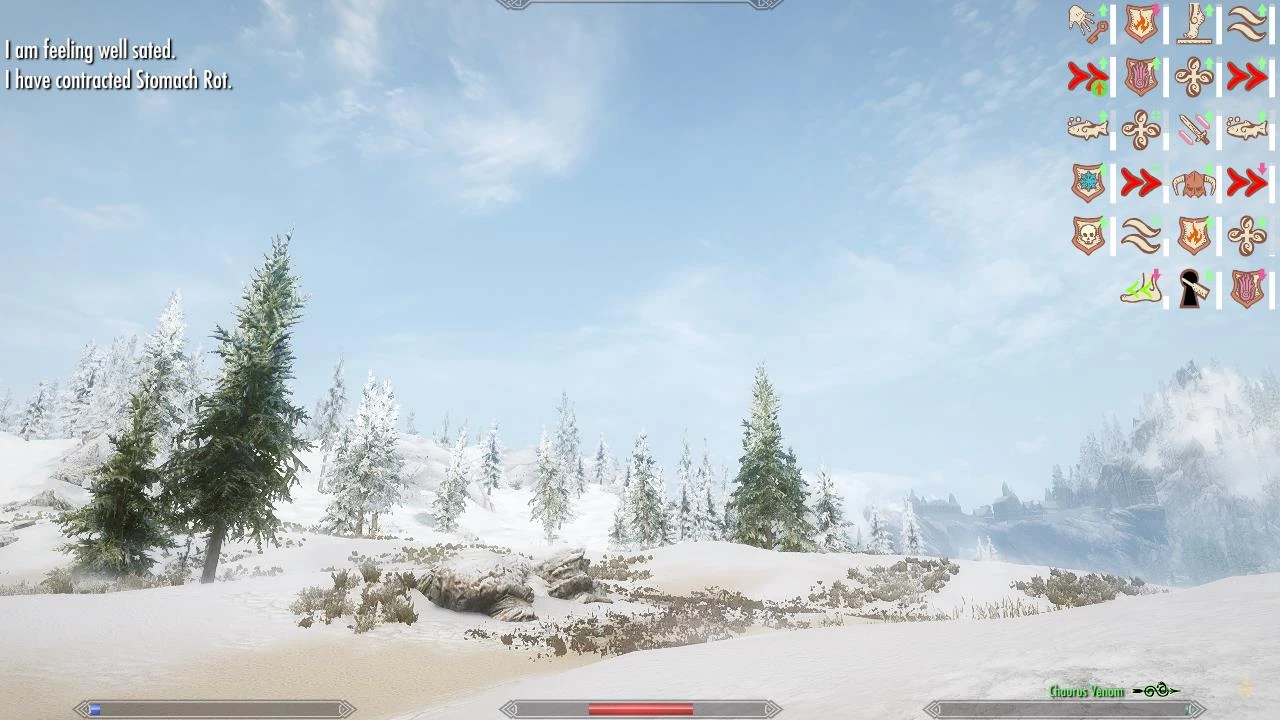
The problem I am experiencing now is SkyUI active effects icons. The meters are shown but the icons - no. Do you have these icons (if you have SkyUI)?
Exactly, what tweaks/commands?hedmo wrote: SSE works out of the box with Steam Play(proton) but you need to set some tweeks in winecfg to make all work
or use PROTON_..... %command% .
The problem I am experiencing now is SkyUI active effects icons. The meters are shown but the icons - no. Do you have these icons (if you have SkyUI)?
halconhalcon wrote:
Exactly, what tweaks/commands?
The problem I am experiencing now is SkyUI active effects icons. The meters are shown but the icons - no. Do you have these icons (if you have SkyUI)?
i am using SkyUI. the tweaks i am talking about is for sound and ENB to work.i dont know if Lutris-Steam-Proton vs @steam from steam-overlay
is changing something for the SkyUI.but one important thing with SkyUI is the load order.i am using LOOT for that.
can you provide me with a pic ?
regards
I am using Vortex Mod Manager that has LOOT as a built-in component (or some another tool for reordernig plugins). But I haven't yet tried to test if moving SkyUI up/down make the icons appear...hedmo wrote: one important thing with SkyUI is the load order.i am using LOOT for that.
Here is a pic, not mine but showing the same problem:hedmo wrote: can you provide me with a pic ?
https://imgur.com/P6NOJBc
As you see, in the top right corner, there is a grey-white meter only. There must be an icon of the corresponding spell near it, but there isn't. An example of meters with icons: https://staticdelivery.nexusmods.com/mo ... 79661.jpeg
Last edited by halcon on Mon Jan 13, 2020 8:11 pm, edited 1 time in total.
halcon i have not reflect on the top right corner if there is a meter there but i will check.the icons is part of SkyUI.as i understand and you have to configure it to make them appear via MCM.but i am not 100%.i will check and post back.at the moment i am building a custom proton to run BOTW with the new Cemuhalcon wrote: Here is a pic, not mine but showing the same problem:
https://imgur.com/P6NOJBc
As you see, in the top right corner, there is a grey-white meter only. There must be an icon of the corresponding spell near it, but there isn't. An example of meters with icons: https://staticdelivery.nexusmods.com/mo ... 79661.jpeg
that has vulkan support but need to patch proton/wine to make it run.for me steam is the place i want to have all my games at (even non steam games)
regards hedmo
More exactly: it is part of Data/Interface/exported/skyui/icons_effect_psychosteve.swf. Normally (without mods tweaking SkyUI) that file is inside Data/SkyUI.bsa. I've tried the pure SkyUI with "vanilla" icons, I've tried tweaking mods adding that file with other sets of icons - nothing changed. The icons not shown.hedmo wrote: the icons is part of SkyUI.
I have turned on all available MCM options related to active effects icons.hedmo wrote: you have to configure it to make them appear via MCM.
Consider that active effects are being turned on/off in MCM -> SkyUI -> General -> Active effects HUD and also there are some options in MCM -> SkyUI -> Additional (I'm re-translating back to English from my language so the words may be not exactly as I wrote).hedmo wrote: i will check and post back.
Also please consider that active effects exist only for "temporary" spells like Oak Flesh, Candle Light, Conjure Flame Atronach etc.
halcon
https://github.com/GloriousEggroll/proton-ge-custom has a woraround for the skyUI:
I have not test it. Skyrim se does not start with GloriousEggroll for me.
regards hedmo
https://github.com/GloriousEggroll/proton-ge-custom has a woraround for the skyUI:
Code: Select all
WINE_MEM_ALLOC_MOD Enables mem alloc mod. Fixes some games such as MK11 and the skyui status effect icons in skyrim se. Set to 1 to enable.
regards hedmo
PS4 controller not working over BT
Hi All,
I've been struggling getting my ps4 dualshock gamepad to work in 'Hellblade: Senua's Sacrifice' via bluetooth for several days now.
It's a very curious situation. What currently works:
My Setup
=======
kernel:
packages:
Diagnosis:
========
kernel messages:
Via USB:
Via bluetooth:
X logs show the following when plugging in via USB (before 10:21 AM)
Now the logs when connecting via Bluetooth :
Note one thing which I notice different is the line , under "Local device found". It seems to suggest something is wrong when connecting via bluetooth.
The other thing that I'm unsure about is that it complains about no input driver:
I suspect that this is just saying that there is no X driver for the gamepad. Also, as this appears both when it's working via USB cable and when its' not working via bluetooth, suggests to me that this is irrelevant.
I've also noticed that under and , I am missing entries for the wireless controller, when connected via bluetooth. When connected via USB, I have the following entries:
But when connected over bluetooth, all the ones on the right-hand-side are missing. I don't know if this is normal.
Another thing I've read a number of posts about, for example on stea[/url][/list]m community https://steamcommunity.com/app/221410/d ... 304458372/, has to do with access rights. There they suggest making all the device files 0666 to resolve these issues. But as the gamepad works via USB cable without changing any of this, I've not touched the udev rules. It's not entirely clear to me how the TAG+= syntax works in /lib/udev/rules.d/60-steam-input.rules, but I suspect that it's somehow used to grant access to the steam user.
I'd be really grateful if anyone can help!
I've been struggling getting my ps4 dualshock gamepad to work in 'Hellblade: Senua's Sacrifice' via bluetooth for several days now.
It's a very curious situation. What currently works:
- Both steam Big Picture Mode (BPM) controls, as well as in-game, when plugged in via USB cable.
- BPM, but not in-game, when connected via bluetooth
My Setup
=======
kernel:
Code: Select all
steam@chichenitza ~ $ uname -a
Linux chichenitza 5.4.28-gentoo #3 SMP Sat May 2 10:15:53 CEST 2020 x86_64 Intel(R) Core(TM) i5-6600K CPU @ 3.50GHz GenuineIntel GNU/Linux
steam@chichenitza ~ $ lsmod
Module                  Size  Used by
hidp                   28672  0
hid_sony               32768  0
rfcomm                 49152  14
fuse                  118784  3
cmac                   16384  1
bnep                   20480  2
hid_logitech_hidpp     40960  0
nvidia_drm             45056  9
nvidia_modeset       1077248  18 nvidia_drm
hid_logitech_dj        28672  0
iwlmvm                290816  0
led_class              16384  2 iwlmvm,hid_sony
nvidia              19935232  945 nvidia_modeset
mac80211              471040  1 iwlmvm
iwlwifi               229376  1 iwlmvm
aesni_intel           368640  5
crypto_simd            16384  1 aesni_intel
cryptd                 20480  1 crypto_simd
e1000e                212992  0
glue_helper            16384  1 aesni_intel
btusb                  49152  0
btrtl                  16384  1 btusb
btbcm                  16384  1 btusb
ptp                    20480  1 e1000e
btintel                20480  1 btusb
pps_core               16384  1 ptp
cfg80211              331776  3 iwlmvm,iwlwifi,mac80211
bluetooth             425984  44 btrtl,hidp,btintel,btbcm,bnep,btusb,rfcomm
hid_generic            16384  0
crc16                  16384  1 bluetooth
ecdh_generic           16384  2 bluetooth
ecc                    28672  1 ecdh_generic
rfkill                 24576  7 bluetooth,cfg80211
nct6775                57344  0
hwmon_vid              16384  1 nct6775
coretemp               16384  0
Code: Select all
steam@chichenitza ~ $ equery list steam\*
 * Searching for steam* ...
[I-O] [  ] games-util/steam-client-meta-0-r20200328:0
[I-O] [  ] games-util/steam-launcher-1.0.0.62:0
========
kernel messages:
Via USB:
Code: Select all
[   60.359015] usb 1-9: new full-speed USB device number 5 using xhci_hcd
[   60.487391] usb 1-9: New USB device found, idVendor=054c, idProduct=09cc, bcdDevice= 1.00
[   60.487400] usb 1-9: New USB device strings: Mfr=1, Product=2, SerialNumber=0
[   60.487404] usb 1-9: Product: Wireless Controller
[   60.487408] usb 1-9: Manufacturer: Sony Interactive Entertainment
[   60.503443] input: Sony Interactive Entertainment Wireless Controller Touchpad as /devices/pci0000:00/0000:00:14.0/usb1/1-9/1-9:1.3/0003:054C:09CC.0008/input/input28
[   60.503490] input: Sony Interactive Entertainment Wireless Controller Motion Sensors as /devices/pci0000:00/0000:00:14.0/usb1/1-9/1-9:1.3/0003:054C:09CC.0008/input/input29
[   60.555050] input: Sony Interactive Entertainment Wireless Controller as /devices/pci0000:00/0000:00:14.0/usb1/1-9/1-9:1.3/0003:054C:09CC.0008/input/input27
[   60.555270] sony 0003:054C:09CC.0008: input,hidraw7: USB HID v81.11 Gamepad [Sony Interactive Entertainment Wireless Controller] on usb-0000:00:14.0-9/input3
Code: Select all
[  155.356549] usb 1-9: USB disconnect, device number 5
[  262.415483] Bluetooth: HIDP (Human Interface Emulation) ver 1.2
[  262.415495] Bluetooth: HIDP socket layer initialized
[  262.469221] sony 0005:054C:09CC.0009: unknown main item tag 0x0
[  262.512497] input: Wireless Controller Touchpad as /devices/pci0000:00/0000:00:14.0/usb1/1-12/1-12:1.0/bluetooth/hci0/hci0:256/0005:054C:09CC.0009/input/input31
[  262.512779] input: Wireless Controller Motion Sensors as /devices/pci0000:00/0000:00:14.0/usb1/1-12/1-12:1.0/bluetooth/hci0/hci0:256/0005:054C:09CC.0009/input/input32
[  262.513176] input: Wireless Controller as /devices/pci0000:00/0000:00:14.0/usb1/1-12/1-12:1.0/bluetooth/hci0/hci0:256/0005:054C:09CC.0009/input/input30
[  262.513413] sony 0005:054C:09CC.0009: input,hidraw7: BLUETOOTH HID v81.00 Gamepad [Wireless Controller] on 48:45:20:40:e7:f4
Code: Select all
May 02 10:19:22 chichenitza /usr/libexec/gdm-x-session[617]: (II) config/udev: Adding input device Sony Interactive Entertainment Wireless Controller Touchpad (/dev/input/mouse1)
May 02 10:19:22 chichenitza /usr/libexec/gdm-x-session[617]: (**) Sony Interactive Entertainment Wireless Controller Touchpad: Ignoring device from InputClass "ds4-touchpad"
May 02 10:19:22 chichenitza /usr/libexec/gdm-x-session[617]: (II) config/udev: Adding input device Sony Interactive Entertainment Wireless Controller Motion Sensors (/dev/input/event14)
May 02 10:19:22 chichenitza /usr/libexec/gdm-x-session[617]: (II) No input driver specified, ignoring this device.
May 02 10:19:22 chichenitza /usr/libexec/gdm-x-session[617]: (II) This device may have been added with another device file.
May 02 10:19:22 chichenitza /usr/libexec/gdm-x-session[617]: (II) config/udev: Adding input device Sony Interactive Entertainment Wireless Controller (/dev/input/event15)
May 02 10:19:22 chichenitza /usr/libexec/gdm-x-session[617]: (II) No input driver specified, ignoring this device.
May 02 10:19:22 chichenitza /usr/libexec/gdm-x-session[617]: (II) This device may have been added with another device file.
May 02 10:19:22 chichenitza /usr/libexec/gdm-x-session[617]: (II) config/udev: Adding input device Sony Interactive Entertainment Wireless Controller Touchpad (/dev/input/event13)
May 02 10:19:22 chichenitza /usr/libexec/gdm-x-session[617]: (**) Sony Interactive Entertainment Wireless Controller Touchpad: Ignoring device from InputClass "ds4-touchpad"
May 02 10:19:23 chichenitza steam.desktop[1097]: Local Device Found
May 02 10:19:23 chichenitza steam.desktop[1097]:   type: 054c 09cc
May 02 10:19:23 chichenitza steam.desktop[1097]:   path: /dev/hidraw7
May 02 10:19:23 chichenitza steam.desktop[1097]:   serial_number: a4:ae:11:e8:01:dc - 0
May 02 10:19:23 chichenitza steam.desktop[1097]:   Manufacturer: Sony Interactive Entertainment
May 02 10:19:23 chichenitza steam.desktop[1097]:   Product:      Wireless Controller
May 02 10:19:23 chichenitza steam.desktop[1097]:   Release:      100
May 02 10:19:23 chichenitza steam.desktop[1097]:   Interface:    3
May 02 10:19:23 chichenitza steam.desktop[1097]: !! Steam controller device opened for index 0.
May 02 10:19:23 chichenitza steam.desktop[1097]: Steam Controller reserving XInput slot 0
May 02 10:19:23 chichenitza steam.desktop[1097]: Installing breakpad exception handler for appid(steam)/version(1588032389)
May 02 10:19:23 chichenitza steam.desktop[1097]: Controller 0 connected, configuring it now...
May 02 10:19:23 chichenitza steam.desktop[1097]: !! Controller 0 attributes:
May 02 10:19:23 chichenitza steam.desktop[1097]:   Type: 34
May 02 10:19:23 chichenitza steam.desktop[1097]:   ProductID: 2508
May 02 10:19:23 chichenitza steam.desktop[1097]:   Serial: a4ae11e801dc
May 02 10:19:23 chichenitza steam.desktop[1097]:   Capabilities: 00075bff
May 02 10:19:23 chichenitza steam.desktop[1097]:   Firmware Version: 0
May 02 10:19:23 chichenitza steam.desktop[1097]:   Firmware Build Time: 2147483647 (Tue, 19 Jan 2038 03:14:07 GMT)
May 02 10:19:23 chichenitza steam.desktop[1097]:   Bootloader Build Time: 2147483647 (Tue, 19 Jan 2038 03:14:07 GMT)
May 02 10:19:23 chichenitza steam.desktop[1097]: Loaded Config for Local Selection Path for App ID 413090, Controller 0: /opt/steam/.local/share/Steam/steamapps/workshop/content/241100/1689651975/1007024772344596662_legacy.bin
May 02 10:19:23 chichenitza steam.desktop[1097]: [413090]Non-Steam Controller Configs Enabled: 1
May 02 10:19:23 chichenitza steam.desktop[1097]: BYieldingQueryAccountsRegisteredToController
May 02 10:19:23 chichenitza steam.desktop[1097]: Loaded Config for Local Selection Path for App ID 413090, Controller 0: /opt/steam/.local/share/Steam/steamapps/workshop/content/241100/1557869049/956347096063717719_legacy.bin
May 02 10:19:23 chichenitza steam.desktop[1097]: Opted-in Controller Mask for AppId 413080: 0
May 02 10:19:23 chichenitza steam.desktop[1097]: Loaded Config for Local Override Path for App ID 413080, Controller 0: /opt/steam/.local/share/Steam//controller_base/empty.vdf
May 02 10:19:23 chichenitza steam.desktop[1097]: [413080]Non-Steam Controller Configs Enabled: 1
May 02 10:19:25 chichenitza steam.desktop[1097]: Fetching Config Sets 0
May 02 10:19:25 chichenitza steam.desktop[1097]: CClientJobFetchPersonalizationFileID
May 02 10:19:26 chichenitza steam.desktop[1097]: Set Account Config Sets 0 1 1
May 02 10:19:26 chichenitza steam.desktop[1097]: OnFocusWindowChanged to window type: k_nGameIDControllerConfigs_Desktop, AppID 413080
May 02 10:19:26 chichenitza steam.desktop[1097]: Loaded Config for Local Override Path for App ID 413080, Controller 0: /opt/steam/.local/share/Steam//controller_base/empty.vdf
May 02 10:19:27 chichenitza steam.desktop[1097]: Installing breakpad exception handler for appid(steam)/version(1588032389)
May 02 10:19:27 chichenitza steam.desktop[1097]: Installing breakpad exception handler for appid(steam)/version(1588032389)
May 02 10:19:30 chichenitza steam.desktop[1097]: Received discovery message from client 11336826497634750539 at 192.168.43.37:44998
May 02 10:19:32 chichenitza steam.desktop[1097]: Received discovery message from client 11336826497634750539 at 192.168.43.37:44998
May 02 10:19:34 chichenitza steam.desktop[1097]: OnFocusWindowChanged to window type: k_nGameIDControllerConfigs_BigPicture, AppID 413090
May 02 10:19:34 chichenitza steam.desktop[1097]: Loaded Config for Local Selection Path for App ID 413090, Controller 0: /opt/steam/.local/share/Steam/steamapps/workshop/content/241100/1557869049/956347096063717719_legacy.bin
May 02 10:19:34 chichenitza steam.desktop[1097]: DeleteFBOFreeList: Removing 8 FBO objects, total 1
May 02 10:19:39 chichenitza steam.desktop[1097]: Received discovery message from client 11336826497634750539 at 192.168.43.37:44998
May 02 10:19:45 chichenitza steam.desktop[1097]: Received discovery message from client 11336826497634750539 at 192.168.43.37:44998
May 02 10:19:47 chichenitza steam.desktop[1097]: Received discovery message from client 11336826497634750539 at 192.168.43.37:44998
May 02 10:19:53 chichenitza steam.desktop[1097]: Received discovery message from client 11336826497634750539 at 192.168.43.37:44998
May 02 10:19:58 chichenitza steam.desktop[1097]: !! Controller 0 attributes:
May 02 10:19:58 chichenitza steam.desktop[1097]:   Type: 34
May 02 10:19:58 chichenitza steam.desktop[1097]:   ProductID: 2508
May 02 10:19:58 chichenitza steam.desktop[1097]:   Serial: a4ae11e801dc
May 02 10:19:58 chichenitza steam.desktop[1097]:   Capabilities: 00075bff
May 02 10:19:58 chichenitza steam.desktop[1097]:   Firmware Version: 0
May 02 10:19:58 chichenitza steam.desktop[1097]:   Firmware Build Time: 2147483647 (Tue, 19 Jan 2038 03:14:07 GMT)
May 02 10:19:58 chichenitza steam.desktop[1097]:   Bootloader Build Time: 2147483647 (Tue, 19 Jan 2038 03:14:07 GMT)
May 02 10:19:58 chichenitza steam.desktop[1469]: [0502/101958.222035:INFO:crash_reporting.cc(270)] Crash reporting enabled for process: renderer
May 02 10:19:58 chichenitza steam.desktop[1481]: [0502/101958.385419:INFO:crash_reporting.cc(270)] Crash reporting enabled for process: renderer
May 02 10:19:58 chichenitza steam.desktop[1493]: [0502/101958.448987:INFO:crash_reporting.cc(270)] Crash reporting enabled for process: renderer
May 02 10:19:58 chichenitza steam.desktop[1097]: Installing breakpad exception handler for appid(steam)/version(1588032389)
May 02 10:19:58 chichenitza steam.desktop[1097]: Failed to init SteamVR because it isn't installed
Code: Select all
May 02 10:22:45 chichenitza /usr/libexec/gdm-x-session[617]: (II) config/udev: Adding input device Wireless Controller Touchpad (/dev/input/mouse1)
May 02 10:22:45 chichenitza /usr/libexec/gdm-x-session[617]: (II) No input driver specified, ignoring this device.
May 02 10:22:45 chichenitza /usr/libexec/gdm-x-session[617]: (II) This device may have been added with another device file.
May 02 10:22:45 chichenitza /usr/libexec/gdm-x-session[617]: (II) config/udev: Adding input device Wireless Controller (/dev/input/event15)
May 02 10:22:45 chichenitza /usr/libexec/gdm-x-session[617]: (II) No input driver specified, ignoring this device.
May 02 10:22:45 chichenitza /usr/libexec/gdm-x-session[617]: (II) This device may have been added with another device file.
May 02 10:22:45 chichenitza /usr/libexec/gdm-x-session[617]: (II) config/udev: Adding input device Wireless Controller Motion Sensors (/dev/input/event14)
May 02 10:22:45 chichenitza /usr/libexec/gdm-x-session[617]: (II) No input driver specified, ignoring this device.
May 02 10:22:45 chichenitza /usr/libexec/gdm-x-session[617]: (II) This device may have been added with another device file.
May 02 10:22:45 chichenitza /usr/libexec/gdm-x-session[617]: (II) config/udev: Adding input device Wireless Controller Touchpad (/dev/input/event13)
May 02 10:22:45 chichenitza /usr/libexec/gdm-x-session[617]: (**) Wireless Controller Touchpad: Applying InputClass "libinput touchpad catchall"
May 02 10:22:45 chichenitza /usr/libexec/gdm-x-session[617]: (**) Wireless Controller Touchpad: Applying InputClass "touchpad catchall"
May 02 10:22:45 chichenitza /usr/libexec/gdm-x-session[617]: (II) LoadModule: "synaptics"
May 02 10:22:45 chichenitza /usr/libexec/gdm-x-session[617]: (WW) Warning, couldn't open module synaptics
May 02 10:22:45 chichenitza /usr/libexec/gdm-x-session[617]: (EE) Failed to load module "synaptics" (module does not exist, 0)
May 02 10:22:45 chichenitza /usr/libexec/gdm-x-session[617]: (EE) No input driver matching `synaptics'
May 02 10:22:45 chichenitza /usr/libexec/gdm-x-session[617]: (II) Falling back to input driver `libinput'
May 02 10:22:45 chichenitza /usr/libexec/gdm-x-session[617]: (II) Using input driver 'libinput' for 'Wireless Controller Touchpad'
May 02 10:22:45 chichenitza /usr/libexec/gdm-x-session[617]: (II) systemd-logind: got fd for /dev/input/event13 13:77 fd 77 paused 0
May 02 10:22:45 chichenitza /usr/libexec/gdm-x-session[617]: (**) Wireless Controller Touchpad: always reports core events
May 02 10:22:45 chichenitza /usr/libexec/gdm-x-session[617]: (**) Option "Device" "/dev/input/event13"
May 02 10:22:45 chichenitza /usr/libexec/gdm-x-session[617]: (**) Option "_source" "server/udev"
May 02 10:22:45 chichenitza /usr/libexec/gdm-x-session[617]: (II) event13 - Wireless Controller Touchpad: is tagged by udev as: Touchpad
May 02 10:22:45 chichenitza /usr/libexec/gdm-x-session[617]: (II) event13 - Wireless Controller Touchpad: no resolution or size hints, assuming a size of 69x50mm
May 02 10:22:45 chichenitza /usr/libexec/gdm-x-session[617]: (II) event13 - Wireless Controller Touchpad: device is a touchpad
May 02 10:22:45 chichenitza /usr/libexec/gdm-x-session[617]: (II) event13 - Wireless Controller Touchpad: device removed
May 02 10:22:45 chichenitza /usr/libexec/gdm-x-session[617]: (**) Option "config_info" "udev:/sys/devices/pci0000:00/0000:00:14.0/usb1/1-12/1-12:1.0/bluetooth/hci0/hci0:256/0005:054C:09CC.0009/input/input31/event13"
May 02 10:22:45 chichenitza /usr/libexec/gdm-x-session[617]: (II) XINPUT: Adding extended input device "Wireless Controller Touchpad" (type: TOUCHPAD, id 15)
May 02 10:22:45 chichenitza /usr/libexec/gdm-x-session[617]: (**) Option "AccelerationScheme" "none"
May 02 10:22:45 chichenitza /usr/libexec/gdm-x-session[617]: (**) Wireless Controller Touchpad: (accel) selected scheme none/0
May 02 10:22:45 chichenitza /usr/libexec/gdm-x-session[617]: (**) Wireless Controller Touchpad: (accel) acceleration factor: 2.000
May 02 10:22:45 chichenitza /usr/libexec/gdm-x-session[617]: (**) Wireless Controller Touchpad: (accel) acceleration threshold: 4
May 02 10:22:45 chichenitza /usr/libexec/gdm-x-session[617]: (II) event13 - Wireless Controller Touchpad: is tagged by udev as: Touchpad
May 02 10:22:45 chichenitza /usr/libexec/gdm-x-session[617]: (II) event13 - Wireless Controller Touchpad: no resolution or size hints, assuming a size of 69x50mm
May 02 10:22:45 chichenitza /usr/libexec/gdm-x-session[617]: (II) event13 - Wireless Controller Touchpad: device is a touchpad
May 02 10:22:45 chichenitza steam.desktop[1097]: Local Device Found
May 02 10:22:45 chichenitza steam.desktop[1097]:   type: 054c 09cc
May 02 10:22:45 chichenitza steam.desktop[1097]:   path: /dev/hidraw7
May 02 10:22:45 chichenitza steam.desktop[1097]:   serial_number: a4:ae:11:e8:01:dc - 0
May 02 10:22:45 chichenitza steam.desktop[1097]:   Manufacturer:
May 02 10:22:45 chichenitza steam.desktop[1097]:   Product:      Wireless Controller
May 02 10:22:45 chichenitza steam.desktop[1097]:   Release:      0
May 02 10:22:45 chichenitza steam.desktop[1097]:   Interface:    -1
May 02 10:22:45 chichenitza steam.desktop[1097]: ioctl (GFEATURE): Input/output error
May 02 10:22:45 chichenitza steam.desktop[1097]: !! Steam controller device opened for index 0.
May 02 10:22:45 chichenitza steam.desktop[1097]: Steam Controller reserving XInput slot 0
May 02 10:22:45 chichenitza steam.desktop[1097]: Controller 0 connected, configuring it now...
May 02 10:22:46 chichenitza steam.desktop[1097]: Received discovery message from client 11336826497634750539 at 192.168.43.37:44998
May 02 10:22:46 chichenitza steam.desktop[1097]: !! Controller 0 attributes:
May 02 10:22:46 chichenitza steam.desktop[1097]:   Type: 34
May 02 10:22:46 chichenitza steam.desktop[1097]:   ProductID: 2508
May 02 10:22:46 chichenitza steam.desktop[1097]:   Serial: a4ae11e801dc
May 02 10:22:46 chichenitza steam.desktop[1097]:   Capabilities: 00075bff
May 02 10:22:46 chichenitza steam.desktop[1097]:   Firmware Version: 0
May 02 10:22:46 chichenitza steam.desktop[1097]:   Firmware Build Time: 2147483647 (Tue, 19 Jan 2038 03:14:07 GMT)
May 02 10:22:46 chichenitza steam.desktop[1097]:   Bootloader Build Time: 2147483647 (Tue, 19 Jan 2038 03:14:07 GMT)
May 02 10:22:46 chichenitza steam.desktop[1097]: BYieldingQueryAccountsRegisteredToController
May 02 10:22:46 chichenitza steam.desktop[1097]: Loaded Config for Local Selection Path for App ID 413090, Controller 0: /opt/steam/.local/share/Steam/steamapps/workshop/content/241100/1689651975/1007024772344596662_legacy.bin
May 02 10:22:46 chichenitza steam.desktop[1097]: Loaded Config for Local Selection Path for App ID 413090, Controller 0: /opt/steam/.local/share/Steam/steamapps/workshop/content/241100/1557869049/956347096063717719_legacy.bin
May 02 10:22:46 chichenitza steam.desktop[1097]: Loaded Config for Local Override Path for App ID 413080, Controller 0: /opt/steam/.local/share/Steam//controller_base/empty.vdf
Code: Select all
Interface: -1The other thing that I'm unsure about is that it complains about no input driver:
Code: Select all
May 02 10:22:45 chichenitza /usr/libexec/gdm-x-session[617]: (II) config/udev: Adding input device Wireless Controller (/dev/input/event15)
May 02 10:22:45 chichenitza /usr/libexec/gdm-x-session[617]: (II) No input driver specified, ignoring this device.
May 02 10:22:45 chichenitza /usr/libexec/gdm-x-session[617]: (II) This device may have been added with another device file.
I've also noticed that under
Code: Select all
/dev/input/by-idCode: Select all
by-pathCode: Select all
steam@chichenitza ~ $ ls /dev/input/by-id
usb-04d9_MD600_RGB-event-if02               usb-Sony_Interactive_Entertainment_Wireless_Controller-event-if03
usb-04d9_MD600_RGB-event-kbd                usb-Sony_Interactive_Entertainment_Wireless_Controller-if03-event-joystick
usb-04d9_MD600_RGB-if02-event-kbd           usb-Sony_Interactive_Entertainment_Wireless_Controller-if03-event-mouse
usb-Logitech_USB_Receiver-if02-event-mouse  usb-Sony_Interactive_Entertainment_Wireless_Controller-if03-mouse
usb-Logitech_USB_Receiver-if02-mouse
Another thing I've read a number of posts about, for example on stea[/url][/list]m community https://steamcommunity.com/app/221410/d ... 304458372/, has to do with access rights. There they suggest making all the device files 0666 to resolve these issues. But as the gamepad works via USB cable without changing any of this, I've not touched the udev rules. It's not entirely clear to me how the TAG+= syntax works in /lib/udev/rules.d/60-steam-input.rules, but I suspect that it's somehow used to grant access to the steam user.
I'd be really grateful if anyone can help!

Re: PS4 controller not working over BT
So I have quite opposite experience with the DualShock4 (ds4). in my case on running Steam:luciano wrote:Hi All,
I've been struggling getting my ps4 dualshock gamepad to work in 'Hellblade: Senua's Sacrifice' via bluetooth for several days now.
It's a very curious situation. What currently works:[...]
- Both steam Big Picture Mode (BPM) controls, as well as in-game, when plugged in via USB cable.
- BPM, but not in-game, when connected via bluetooth
- On bluetooth, js0 device is present in /dev/input, pad is not working on Big Picture, but works on any game and is not recognized in Steam controller settings,
- On usb, js0 device appears for a second or so in /dev/input, than it disappear, ds4 works fine in Big Picture mode, appears in settings, I can play around with setting the color and intensity of the glowing light on the ds4, does not work on any game
Code: Select all
dev-libs/glib:2
dev-libs/libgcrypt
dev-libs/nspr
dev-libs/nss
gnome-base/gconf
gnome-extra/zenity
media-libs/alsa-lib
media-libs/fontconfig
media-libs/freetype:2
media-libs/libjpeg-turbo
media-libs/libogg
media-libs/libpng:1.2
media-libs/libsdl
media-libs/libtheora
media-libs/libvorbis
media-libs/openal
net-misc/curl
net-print/cups
sys-apps/dbus
virtual/libusb:1
virtual/opengl
x11-libs/cairo
x11-libs/gdk-pixbuf
x11-libs/gtk+:2
x11-libs/libX11
x11-libs/libXScrnSaver
x11-libs/libXext
x11-libs/libXfixes
x11-libs/libXi
x11-libs/libXrandr
x11-libs/libXrender
x11-libs/pango
x11-libs/pixman
I have been having even worse luck with controllers and Steam. I have a DualShock 4 and an Xbox One bluetooth controller that I don't remember ever having issues getting working in Steam on Linux, and then while I was doing a new media PC, I couldn't get them to work right on some games, and swinging back around to my laptop and desktop, those boxes' controllers don't work in-game there anymore either. The most infuriating part is that all the controllers work on all the boxes fine to control Big Picture Mode, it's just games that are a mess.
I have screenshots I took when I was playing a game on 5/21 that I'm fairly confident I played with a controller, but now the controller does nothing in that game. I have no idea what changed. I've tried the DS4 and XBO pad wired or wireless, enabled disabled PS4/Xbox/Generic support in all sorts of combinations, tried changing desktop settings in case it was a focus issue, all sorts of stuff.
Things that AFAIK worked for me up until the last day or so that now no longer work:
* 8-Bit Adventure Anthology (this is the one that I have screenshots for and fairly vividly remember playing on a controller, now no controllers work except ONCE the XBO pad worked, and then when I quit the game and tried the DS4, nothing worked again)
* Pictopix (half the time it doesn't work, half the time it works except up and down are reversed??)
* Sega Mega Drive and Genesis Classics
Still somehow works:
* Corpse Party (this seems to always work, confusingly)
I do feel like either something changed in Steam or there's some sort of weird race condition going on.
I have screenshots I took when I was playing a game on 5/21 that I'm fairly confident I played with a controller, but now the controller does nothing in that game. I have no idea what changed. I've tried the DS4 and XBO pad wired or wireless, enabled disabled PS4/Xbox/Generic support in all sorts of combinations, tried changing desktop settings in case it was a focus issue, all sorts of stuff.
Things that AFAIK worked for me up until the last day or so that now no longer work:
* 8-Bit Adventure Anthology (this is the one that I have screenshots for and fairly vividly remember playing on a controller, now no controllers work except ONCE the XBO pad worked, and then when I quit the game and tried the DS4, nothing worked again)
* Pictopix (half the time it doesn't work, half the time it works except up and down are reversed??)
* Sega Mega Drive and Genesis Classics
Still somehow works:
* Corpse Party (this seems to always work, confusingly)
I do feel like either something changed in Steam or there's some sort of weird race condition going on.

- thezombiehunter
- n00b

- Posts: 29
- Joined: Sun Sep 18, 2005 10:51 pm
There is a mod fixing the problem with SkyUI on Linux.hedmo wrote:halcon
https://github.com/GloriousEggroll/proton-ge-custom has a woraround for the skyUI:
I have not test it. Skyrim se does not start with GloriousEggroll for me.Code: Select all
WINE_MEM_ALLOC_MOD Enables mem alloc mod. Fixes some games such as MK11 and the skyui status effect icons in skyrim se. Set to 1 to enable.
regards hedmo
- The Main Man
- Veteran
- Posts: 1173
- Joined: Thu Nov 27, 2014 11:25 pm
- Location: /run/user/1000
I had no problem with Unity games but recently I have no sound all of the sudden, only in Unity games.
I didn't change anything in system sound configuration, I'm not using pulseaudio, just pure Alsa.
If I launch those same games with Proton sound is working.
EDIT:
I found a problem, it was something in LADSPA plugin
I didn't change anything in system sound configuration, I'm not using pulseaudio, just pure Alsa.
If I launch those same games with Proton sound is working.
EDIT:
I found a problem, it was something in LADSPA plugin

which game ? csgo runs smooth as always(1000+ games). I use xfce4/openrc forever.thezombiehunter wrote:I'm having issues with VAC dropping me every ~10 games. Currently using ~amd64 with KDE/OpenRC. Anyone know of any workarounds?
I'm not sure if it's because Gentoo is unsupported or if there is a legitimate connection issue due to my network setup in Gentoo. All I know is it works fine in Windows.
I do not have a Superman complex, for I am God not Superman 
Ryzen9 7950x (powersave governor) ; Radeon 9070 XT ; kernel 6.18.4 ; XFCE ; SYSTEMD
Ryzen9 7950x (powersave governor) ; Radeon 9070 XT ; kernel 6.18.4 ; XFCE ; SYSTEMD
For information:
after updating world recently, Steam client and all Steam games ceased to start: "glXChooseVisual failed"
profile: default/linux/amd64/17.1/desktop (stable)
Update included adding vulkan-headers (probably unrelated)
removing eselect-opengl
and doing something about libglvnd/mesa
Kind of solved by rolling back to old nvidia-drivers (435.21-r6 or earlier). 440.100-r2 and 450.57-r1 are both no good.
Will post the same to nvidia/libglvnd topic...
EDIT: it appears the problem is not solved: the games are unplayable giving slide-show with less than 1 FPS.
(Serious Sam BFE, XCom, Sanctum, Deus Ex Human Revolution and Mankind Divided - single frame in 20 seconds, literally)
Only The Talos Principle amd Serious Sam Fusion are still working, probably due to new engine using Vulkan.
OpenGL is probably broken with this combination.
after updating world recently, Steam client and all Steam games ceased to start: "glXChooseVisual failed"
profile: default/linux/amd64/17.1/desktop (stable)
Update included adding vulkan-headers (probably unrelated)
removing eselect-opengl
and doing something about libglvnd/mesa
Kind of solved by rolling back to old nvidia-drivers (435.21-r6 or earlier). 440.100-r2 and 450.57-r1 are both no good.
Will post the same to nvidia/libglvnd topic...
EDIT: it appears the problem is not solved: the games are unplayable giving slide-show with less than 1 FPS.
(Serious Sam BFE, XCom, Sanctum, Deus Ex Human Revolution and Mankind Divided - single frame in 20 seconds, literally)
Only The Talos Principle amd Serious Sam Fusion are still working, probably due to new engine using Vulkan.
OpenGL is probably broken with this combination.
Re: PS4 controller not working over BT
[....]gryf wrote:So I have quite opposite experience with the DualShock4 (ds4). in my case on running Steam:
My kernel: 5.4.38, config. I'm using openrc, if that might matter, and had installed Steam using a set definition (as described on wiki, which might differ a bit, since I've did Steam installation a couple of years ago):
- On bluetooth, js0 device is present in /dev/input, pad is not working on Big Picture, but works on any game and is not recognized in Steam controller settings,
- On usb, js0 device appears for a second or so in /dev/input, than it disappear, ds4 works fine in Big Picture mode, appears in settings, I can play around with setting the color and intensity of the glowing light on the ds4, does not work on any game
So, I've installed steam launcher from anyc/steam-overlay and DulalShock4 suddenly starts working over USB - both on steam interface and games. Turns out that steam-launcher have additional entries to the input devices in "/lib/udev/rules.d/60-steam-input.rules", which were slightly different than entries that I already had.gryf wrote:I'd briefly checked the behavior on Ubuntu, and there everything works fine (js0 device is not swallowed by the Steam). Perhaps it's somehow connected with re-initializing controller by Steam, I don't know…
- The Main Man
- Veteran
- Posts: 1173
- Joined: Thu Nov 27, 2014 11:25 pm
- Location: /run/user/1000
Can anyone run Simple Chess ?
It launches fine but when I click on play it freezes.
With Proton I can't even get to the menu, it starts but it's super slow and I can't wait it out that long so I kill it.
It launches fine but when I click on play it freezes.
With Proton I can't even get to the menu, it starts but it's super slow and I can't wait it out that long so I kill it.


I have done a fresh install of gentoo and have been trying to get steam to work but I keep getting this error
I have been unable to find a solution that works. I tried the steam flatpak but then it wouldn't startup.
Using a nvidia card
Thanks for the help!!
Code: Select all
You are missing the following 32-bit libraries, and Steam may not run:
libva.so.2
libva.so.2
libva-x11.so.2Code: Select all
5.11.11-gentoo-x86_64 #1 SMP Sat Apr 3 17:04:00 PDT 2021 x86_64 Intel(R) Core(TM) i7-5820K CPU @ 3.30GHz GenuineIntel GNU/LinuxThanks for the help!!