
[HOWTO]Freetype subpixel font rendering - lcd monitors Pt 2
Message
- PaulBredbury
- Watchman

- Posts: 7310
- Joined: Thu Jul 14, 2005 3:47 pm

- PaulBredbury
- Watchman
- Posts: 7310
- Joined: Thu Jul 14, 2005 3:47 pm
There's some nice free fonts available.
The best from that list are: PT Sans, CartoGothic Std, Sansation, Aller.
PT Sans and CartoGothic Std are so good, that I'm currently using a combination of them to replace Arial small-ish.
Edit: freetype 2.4.0 misses out most of the characters of CartoGothic Std - so it's to be avoided currently - weird
Edit2: freetype 2.4.1 fixes the missing characters in CartoGothic Std
The best from that list are: PT Sans, CartoGothic Std, Sansation, Aller.
PT Sans and CartoGothic Std are so good, that I'm currently using a combination of them to replace Arial small-ish.
Edit: freetype 2.4.0 misses out most of the characters of CartoGothic Std - so it's to be avoided currently - weird
Edit2: freetype 2.4.1 fixes the missing characters in CartoGothic Std
Last edited by PaulBredbury on Sun Jul 18, 2010 6:13 am, edited 2 times in total.
- PaulBredbury
- Watchman
- Posts: 7310
- Joined: Thu Jul 14, 2005 3:47 pm
I noticed that NiLuJe prefers to patch default_filter, so I tried it myself. Here's an example to show the difference with the Gibson filter. It's "warmer" (some would say blurrier), and to my eyes it's an improvement 
Easy alternative to the patch:
Just recompile freetype2, then restart firefox to see the change.
Edit: More combinations on Infinality's forum.
This looks like a nice way to fine-tune "lcddefault". It would be interesting to see if people prefer other variations.
In other news, freetype 2.4.0 is out - the 2 Ubuntu patches "freetype-bytecode-interpreter" and "enable-full-bytecode-interpreter" can be dropped as no longer needed.
Easy alternative to the patch:
Code: Select all
sed -i -e "s:0x10, 0x40, 0x70, 0x40, 0x10:0x1c, 0x38, 0x55, 0x38, 0x1c:" src/base/ftlcdfil.cEdit: More combinations on Infinality's forum.
This looks like a nice way to fine-tune "lcddefault". It would be interesting to see if people prefer other variations.
In other news, freetype 2.4.0 is out - the 2 Ubuntu patches "freetype-bytecode-interpreter" and "enable-full-bytecode-interpreter" can be dropped as no longer needed.
Last edited by PaulBredbury on Thu Oct 28, 2010 4:56 am, edited 1 time in total.
- PaulBredbury
- Watchman
- Posts: 7310
- Joined: Thu Jul 14, 2005 3:47 pm
Infinality has a great freetype patch for sub- rather than whole-pixel hinting, which has better font spacing, as an alternative to Ubuntu's freetype LCD patch.
Here's a freetype-2.4.2-infinality-20100904.patch all-in-one patch I've made for freetype 2.4.2 - take a look at it, to see what it contains.
I still also recommend adding:
sed -i -e "s:0x10, 0x40, 0x70, 0x40, 0x10:0x1c, 0x38, 0x55, 0x38, 0x1c:" src/base/ftlcdfil.c
Old stuff:
freetype-2.4.2-infinality-20100903.patch
freetype-2.4.2-infinality-20100828.patch
Old patch
Here's an all-in-one patch I've made for freetype 2.4.0 (also works with freetype 2.4.1)
Edit: Got "hinting" vs "filtering" confused
Edit2: Here's the patch for freetype 2.4.2
Edit3: Added upstream patches.
Here's a freetype-2.4.2-infinality-20100904.patch all-in-one patch I've made for freetype 2.4.2 - take a look at it, to see what it contains.
I still also recommend adding:
sed -i -e "s:0x10, 0x40, 0x70, 0x40, 0x10:0x1c, 0x38, 0x55, 0x38, 0x1c:" src/base/ftlcdfil.c
Old stuff:
freetype-2.4.2-infinality-20100903.patch
freetype-2.4.2-infinality-20100828.patch
Old patch
Here's an all-in-one patch I've made for freetype 2.4.0 (also works with freetype 2.4.1)
Edit: Got "hinting" vs "filtering" confused
Edit2: Here's the patch for freetype 2.4.2
Edit3: Added upstream patches.
Last edited by PaulBredbury on Sat Sep 04, 2010 10:42 am, edited 8 times in total.

That's great. Why not push to upstream? Seems it solve the memu delay problem as well.PaulBredbury wrote:Infinality has a great freetype patch for sub- rather than whole-pixel filtering, which has better font spacing, as an alternative to Ubuntu's freetype LCD patch.
Here's an all-in-one patch I've made for freetype 2.4.0
Gilles said: I bit worried about speed in activities menu as well, it's damn slow on my Core2@2.2Ghz which I can't understand.
Details see here: http://blogs.gentoo.org/index.php/2009/ ... re?blog=86
- kernelOfTruth
- Watchman
- Posts: 6111
- Joined: Tue Dec 20, 2005 10:34 pm
- Location: Vienna, Austria; Germany; hello world :)
- Contact:

thanks for those fonts !PaulBredbury wrote:There's some nice free fonts available.
The best from that list are: PT Sans, CartoGothic Std, Sansation, Aller.
PT Sans and CartoGothic Std are so good, that I'm currently using a combination of them to replace Arial small-ish.
https://github.com/kernelOfTruth/ZFS-fo ... scCD-4.9.0
https://github.com/kernelOfTruth/pulsea ... zer-ladspa
Hardcore Gentoo Linux user since 2004
https://github.com/kernelOfTruth/pulsea ... zer-ladspa
Hardcore Gentoo Linux user since 2004


freetype 2.4.0 is available in LCD filtering (note that I've changed the USE flags to match those of standard gentoo).
- PaulBredbury
- Watchman
- Posts: 7310
- Joined: Thu Jul 14, 2005 3:47 pm

- anshuljain
- n00b

- Posts: 4
- Joined: Mon Apr 05, 2010 10:37 am
- Location: Bangalore, India
Seems like some more patches have started to filter in from Gentoo and Arch land Hello to my Gentoo friends (and especially to PaulBredbury). I've been following the patches from infinality ever since I came across this post (again) and tried it on openSUSE 11.3 w/ freetype 2.4.1. I must say that the patch is HIGHLY impressive as compared to the Ubuntu patches from Lucid/Maverick. I had those patches in my Opensuse Build Service repository briefly, but took them down as I had some questions on this patch.
I use a propeitary app called Labview and it does not use fontconfig for rendering. I'm not sure what it uses, but for Labview to pick up the fonts I need to run mkfontdir and mkfontscale to get the fonts.scale file in the ~/.fonts directory. I reverted back to the Ubuntu patches as the Infinality patches caused the fonts (Tahoma font is what I use for Labview) to be rendered completely horribly. It looks smudged and highly pixelated. With the Ubuntu patch, its back to its normal self. My question is- how can I ensure that the the Infinality patch will render Labview the same way as the Ubuntu patch does?
Some screenshot of my Labview app and the desktop with the Ubuntu patch:-
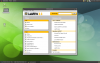

I'd appreciate some assistance from the experts over here, so that I can take this knowledge and apply it to make life better on openSUSE
Regards (from openSUSE-land)
Anshul
Hello to my Gentoo friends (and especially to PaulBredbury). I've been following the patches from infinality ever since I came across this post (again) and tried it on openSUSE 11.3 w/ freetype 2.4.1. I must say that the patch is HIGHLY impressive as compared to the Ubuntu patches from Lucid/Maverick. I had those patches in my Opensuse Build Service repository briefly, but took them down as I had some questions on this patch.I use a propeitary app called Labview and it does not use fontconfig for rendering. I'm not sure what it uses, but for Labview to pick up the fonts I need to run mkfontdir and mkfontscale to get the fonts.scale file in the ~/.fonts directory. I reverted back to the Ubuntu patches as the Infinality patches caused the fonts (Tahoma font is what I use for Labview) to be rendered completely horribly. It looks smudged and highly pixelated. With the Ubuntu patch, its back to its normal self. My question is- how can I ensure that the the Infinality patch will render Labview the same way as the Ubuntu patch does?
Some screenshot of my Labview app and the desktop with the Ubuntu patch:-
I'd appreciate some assistance from the experts over here, so that I can take this knowledge and apply it to make life better on openSUSE
Regards (from openSUSE-land)
Anshul
- PaulBredbury
- Watchman
- Posts: 7310
- Joined: Thu Jul 14, 2005 3:47 pm
- anshuljain
- n00b
- Posts: 4
- Joined: Mon Apr 05, 2010 10:37 am
- Location: Bangalore, India
Nope, its not Xft. I did this:-
anshul@sagarika /usr/local/bin $ ldd /usr/local/bin/labview
linux-gate.so.1 => (0x00706000)
libGL.so.1 => /usr/lib/mesa/libGL.so.1 (0x00c8a000)
libX11.so.6 => /usr/lib/libX11.so.6 (0x0046f000)
libXext.so.6 => /usr/lib/libXext.so.6 (0x00dc2000)
libstdc++.so.5 => not found
libm.so.6 => /lib/tls/i686/cmov/libm.so.6 (0x005a7000)
libdl.so.2 => /lib/tls/i686/cmov/libdl.so.2 (0x00f30000)
libpthread.so.0 => /lib/tls/i686/cmov/libpthread.so.0 (0x00110000)
libc.so.6 => /lib/tls/i686/cmov/libc.so.6 (0x00129000)
libXxf86vm.so.1 => /usr/lib/libXxf86vm.so.1 (0x00bb8000)
libXdamage.so.1 => /usr/lib/libXdamage.so.1 (0x00c1e000)
libXfixes.so.3 => /usr/lib/libXfixes.so.3 (0x00dd8000)
libdrm.so.2 => /lib/libdrm.so.2 (0x00283000)
libxcb.so.1 => /usr/lib/libxcb.so.1 (0x00d05000)
/lib/ld-linux.so.2 (0x00a78000)
librt.so.1 => /lib/tls/i686/cmov/librt.so.1 (0x00e5e000)
libXau.so.6 => /usr/lib/libXau.so.6 (0x0061f000)
libXdmcp.so.6 => /usr/lib/libXdmcp.so.6 (0x00edb000)
Any suggestions...?
anshul@sagarika /usr/local/bin $ ldd /usr/local/bin/labview
linux-gate.so.1 => (0x00706000)
libGL.so.1 => /usr/lib/mesa/libGL.so.1 (0x00c8a000)
libX11.so.6 => /usr/lib/libX11.so.6 (0x0046f000)
libXext.so.6 => /usr/lib/libXext.so.6 (0x00dc2000)
libstdc++.so.5 => not found
libm.so.6 => /lib/tls/i686/cmov/libm.so.6 (0x005a7000)
libdl.so.2 => /lib/tls/i686/cmov/libdl.so.2 (0x00f30000)
libpthread.so.0 => /lib/tls/i686/cmov/libpthread.so.0 (0x00110000)
libc.so.6 => /lib/tls/i686/cmov/libc.so.6 (0x00129000)
libXxf86vm.so.1 => /usr/lib/libXxf86vm.so.1 (0x00bb8000)
libXdamage.so.1 => /usr/lib/libXdamage.so.1 (0x00c1e000)
libXfixes.so.3 => /usr/lib/libXfixes.so.3 (0x00dd8000)
libdrm.so.2 => /lib/libdrm.so.2 (0x00283000)
libxcb.so.1 => /usr/lib/libxcb.so.1 (0x00d05000)
/lib/ld-linux.so.2 (0x00a78000)
librt.so.1 => /lib/tls/i686/cmov/librt.so.1 (0x00e5e000)
libXau.so.6 => /usr/lib/libXau.so.6 (0x0061f000)
libXdmcp.so.6 => /usr/lib/libXdmcp.so.6 (0x00edb000)
Any suggestions...
?I'm using PaulBredbury's fonts.conf and, so far, everything looks good.
Everything except Konsole.
Konsole is using Monospace, 9 with "Smooth fonts" enabled.
Also, the cursor is not in the proper place. It looks like it has some gap after the last characters 't'. Take note that I didn't input any spaces in there and it's only "test" and not "test ". Switching to the font "Consolas" fixes this problem, but I'd like to use DejaVu Sans Mono...
*EDIT* Just selecting DejaVu Sans Mono instead of Monospace fixes the problem.
Everything except Konsole.
Konsole is using Monospace, 9 with "Smooth fonts" enabled.
Code: Select all
$ fc-match monospace
DejaVuSansMono.ttf: "DejaVu Sans Mono" "Book"
*EDIT* Just selecting DejaVu Sans Mono instead of Monospace fixes the problem.


@bi3l, the lcd-filtering overlay is not displayed in the listing of layman's overlays. We have to manually add it ourselves and sync it?
... Morpheus: What is "real"? How do you define "real"? If you 're talking about what you can feel, what you can smell, what you can taste and see, then "real" is simply electrical signals interpreted by your brain...
I hate to do that - but with all that mess around font in Linux I cannot let it go.
Works! Awsome...
What patches are included?
Hinting, not filtering. Hinting is a process of fitting the glyph into the pixel grid.PaulBredbury wrote:Infinality has a great freetype patch for sub- rather than whole-pixel filtering,
which has better font spacing, as an alternative to Ubuntu's freetype LCD patch.
Here's an all-in-one patch I've made for freetype 2.4.0 (also works with freetype 2.4.1)
Works! Awsome...
What patches are included?
Last edited by grogi on Tue Aug 03, 2010 11:50 pm, edited 1 time in total.
The BCI Hinting works really great with your patch - I don't have any problems I had before with AutoHinter, and the glyphs look sharp and natural. It looks that my .fonts.conf will be reduced to provide font substitutes while all autohint / hintstyle switches will go awayPaulBredbury wrote:freetype 2.4.1 is out, and fixes the problem with missing characters in CartoGothic Std.
My Infinality patch for 2.4.0 works fine with 2.4.1, and it's better than Ubuntu's rendering. Although, annoyingly for me, it makes most of my Ubuntu-specific fontconfig rule-tweaking obsolete
- PaulBredbury
- Watchman
- Posts: 7310
- Joined: Thu Jul 14, 2005 3:47 pm
Look right at the top of the patch file:grogi wrote:What patches are included?
If you want to see e.g. freetype-2.3.0-enable-spr.patch, then look at the Fedora src.rpm# From http://www.infinality.net/fedora/linux/ ... 13.src.rpm
# and modified to patch freetype 2.4.0
# See http://www.infinality.net/blog/?p=67
# and http://forums.gentoo.org/viewtopic-p-63 ... ml#6350322
# Added:
# freetype-2.3.0-enable-spr.patch
# freetype-2.2.1-enable-valid.patch
# freetype-2.2.1-memcpy-fix.patch
# #define FT_CONFIG_OPTION_SYSTEM_ZLIB in include/freetype/config/ftoption.h
Mod Edit: split unhelpful comments off [topic=839945]here[/topic] - tomk
- PaulBredbury
- Watchman
- Posts: 7310
- Joined: Thu Jul 14, 2005 3:47 pm
freetype 2.4.2 is out - here's the infinality patch, for the best font-rendering I've seen so far.
For anyone wondering what on Earth a "type 42" font is, the answer is here.
For anyone wondering what on Earth a "type 42" font is, the answer is here.
I gave a look at infinality's patchset and here are a few remarks. I've made some of them directly to moony but he never answered me:
- the subpixel field of the TT_ExecContextRec structure is the same as the existing grayscale field, it can be removed
- the new compatible_widths field is always false, it can be removed
- the new bgr field is always false, it can be removed
- the symmetrical_smoothing is not used, it can be removed
- afaict, skip_x is always 1 and skip_y is always 0, the code can be simplified.
All in all, this patchset may give very good results (I haven't tested it, yet) but it seems to be quite unfinished. If you really want to, I can add it as is to the LCD filtering overlay but I'd prefer waiting for a cleaner version. If someone with better knowledge on freetype then me can check the patchset and give a few advices, I can fix the patches myself if there nothing new on infinality's side.
- the subpixel field of the TT_ExecContextRec structure is the same as the existing grayscale field, it can be removed
- the new compatible_widths field is always false, it can be removed
- the new bgr field is always false, it can be removed
- the symmetrical_smoothing is not used, it can be removed
- afaict, skip_x is always 1 and skip_y is always 0, the code can be simplified.
All in all, this patchset may give very good results (I haven't tested it, yet) but it seems to be quite unfinished. If you really want to, I can add it as is to the LCD filtering overlay but I'd prefer waiting for a cleaner version. If someone with better knowledge on freetype then me can check the patchset and give a few advices, I can fix the patches myself if there nothing new on infinality's side.
- Infinality
- n00b
- Posts: 24
- Joined: Thu Aug 12, 2010 1:21 am
- Location: Wisconsin, USA
- Contact:

Hi
Hey bi3l- I finally replied to your post here: http://www.infinality.net/blog/?p=67&cp ... mment-9090
Yep.GoofyX wrote:@bi3l, the lcd-filtering overlay is not displayed in the listing of layman's overlays. We have to manually add it ourselves and sync it?
Dowload this file, edit /etc/layman/layman.cfg and add "file:///path/to/lcd-filtering.xml" in the 'overlays' section (/path/to being the directory containing lcd-filtering.xml).michaeljr wrote:I can't find the LCD Filtering repo using layman. How do I add the repo using layman?


Hi, i switched back to gentoo and the only thing that's still bothering me is "fonts" :/
I added the lcd-filtering overlay but the patched freetype won't appear for emerge.
I downloaded the xml file and put it in the layman config, i could also add it with "layman -a lcd-filtering" but still won't appear.
I'm trying to add this cause my fonts are still not perfect at firefox. In urxvt and on gtk apps like gajim i use terminus what's working smooth.
So i found this thread and hope you can help me.
I made this screenshots to show you some webpage working fine:
http://andi.wootstube.de/up/2010-08-24- ... _scrot.png
These are screenshots from webpages that still seem to be ugly, fontfinder is saying it's Verdana but it looks weird:
http://andi.wootstube.de/up/2010-08-24- ... _scrot.png
http://andi.wootstube.de/up/2010-08-24- ... _scrot.png
http://andi.wootstube.de/up/2010-08-24- ... _scrot.png
http://andi.wootstube.de/up/2010-08-24- ... _scrot.png
As you see for example on the "Polizei" the "i" is thicker than the "l".
I tried turning off anti-aliasing and hinting but it would be worse then.
The fonts were fine with debian so i thinkt there has to be a way to get this working with gentoo.
And here are my settings:
http://andi.wootstube.de/up/eselect_fontconfig.txt
http://andi.wootstube.de/up/xorg.conf
Firefox Font Settings:
Fonts for Western
Proportional: Serif (14)
Serif: serif
Sans-serif: sans-serif
Monospace: monospace (12)
Minimum font size 10
Allow pages to choose their own fonts -> checked
I have no ~/.fonts.conf but i tried the one from PaulBredbury but that one disabled terminus in gtk apps somehow.
Edit: I found out, that the most problems are with Microsoft Fonts like Arial, Verdana, Courier. So i guess they have to be fixed.
For example the "code" environment in this forum uses Courier, Courier New, monospace. When i force monospace it looks fine, but with Courier it looks wrong.
I added the lcd-filtering overlay but the patched freetype won't appear for emerge.
I downloaded the xml file and put it in the layman config, i could also add it with "layman -a lcd-filtering" but still won't appear.
I'm trying to add this cause my fonts are still not perfect at firefox. In urxvt and on gtk apps like gajim i use terminus what's working smooth.
So i found this thread and hope you can help me.
I made this screenshots to show you some webpage working fine:
http://andi.wootstube.de/up/2010-08-24- ... _scrot.png

These are screenshots from webpages that still seem to be ugly, fontfinder is saying it's Verdana but it looks weird:
http://andi.wootstube.de/up/2010-08-24- ... _scrot.png

http://andi.wootstube.de/up/2010-08-24- ... _scrot.png

http://andi.wootstube.de/up/2010-08-24- ... _scrot.png

http://andi.wootstube.de/up/2010-08-24- ... _scrot.png

As you see for example on the "Polizei" the "i" is thicker than the "l".
I tried turning off anti-aliasing and hinting but it would be worse then.
The fonts were fine with debian so i thinkt there has to be a way to get this working with gentoo.
And here are my settings:
http://andi.wootstube.de/up/eselect_fontconfig.txt
http://andi.wootstube.de/up/xorg.conf
Firefox Font Settings:
Fonts for Western
Proportional: Serif (14)
Serif: serif
Sans-serif: sans-serif
Monospace: monospace (12)
Minimum font size 10
Allow pages to choose their own fonts -> checked
I have no ~/.fonts.conf but i tried the one from PaulBredbury but that one disabled terminus in gtk apps somehow.
Edit: I found out, that the most problems are with Microsoft Fonts like Arial, Verdana, Courier. So i guess they have to be fixed.
For example the "code" environment in this forum uses Courier, Courier New, monospace. When i force monospace it looks fine, but with Courier it looks wrong.